
Front + Typedesk
canned responses you can reuse everywhere
Teams in Front reply to shared inboxes all day, sending the same answers again and again. Front has capable message templates with shared folders, a /template shortcut, and dynamic variables, but they only work inside Front. Typedesk lets you save each reply once and use it in Front and every other app your team works in, filling in details as you type. This page shows how the Typedesk integration works with Front and where it goes beyond native templates.
Available on Mac, Windows and in your browser

Rated 4.8/5 over 300+ verified reviews
How to create message templates in Front
Front has capable message templates with folders, search, a /template shortcut, and dynamic variables, but they stay inside Front. Here is the native method, and how Typedesk adds to it.
Without Typedesk
For reference, here is the native method. Front message templates support shared folders, keyword search, a /template shortcut, and dynamic variables, but they stay inside Front.
With Typedesk
Typedesk runs through the browser extension, so the same replies work inside Front and everywhere else you type.
In Front, open the message templates area and create a new template.
Write your template, choose private or shared, and pick a folder to nest it under.
In a reply, type / and the template name to insert it, or pick it from the templates menu.
Because templates stay inside Front, you cannot reuse them in other apps your team works in.
Save your standard answers in Typedesk, each with a short shortcut like /refund.
Open a Front conversation, or any other app, and type the shortcut in the reply box.
The full response expands instantly, ready to send or edit.
Why Front teams rely on canned responses
- Refund, return, and cancellation policies.
- Shipping and delivery status replies.
- Troubleshooting steps for your top recurring issues.
- Friendly openers and closers that keep tone consistent.
How it works
Set up Typedesk once and reuse your Front replies everywhere you work.
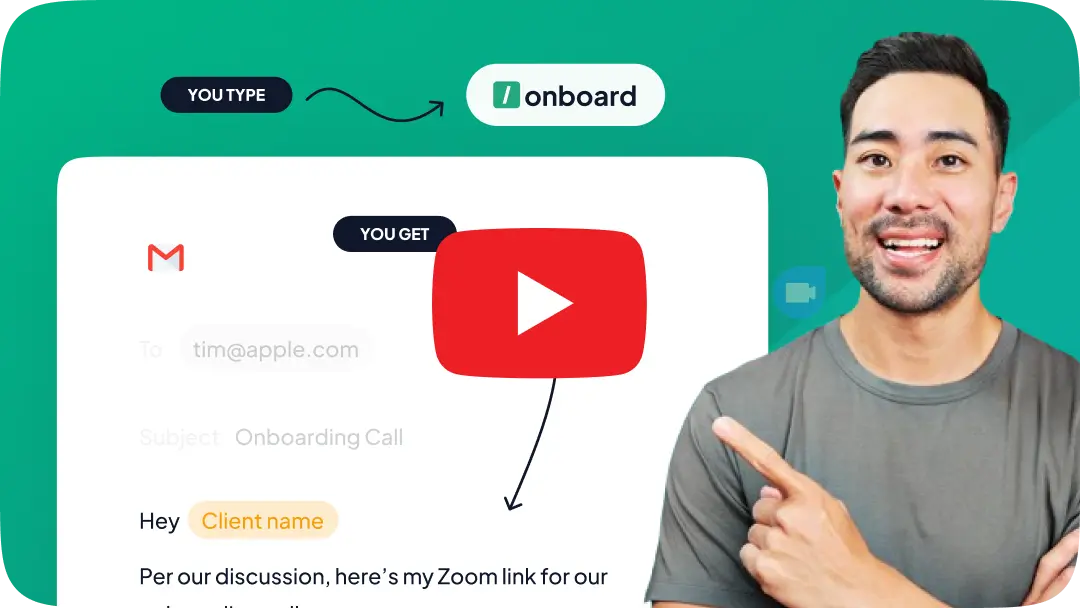
Install the Typedesk browser extension, plus the desktop app for Windows or Mac.
Save your most-used Front answers as templates, each with a short shortcut like /refund or /shipping.
In Front, or any other app, type the shortcut in the reply box and the full response expands instantly.
Front templates, everywhere you work
Front's templates are strong, but they stop at Front. Here is what Typedesk adds on top.
Fill in details as you type
Front variables auto-fill from saved contact and custom-field data. Typedesk adds fields you complete as the template expands, for order numbers, dates, or anything not already stored, so nothing is left blank.
Works beyond Front, in every app
Front templates work inside Front. Typedesk uses one library, so the same replies work in Front and in email, Slack, your CRM, and every other app your team uses.
One shortcut, everywhere you type
Front's /template shortcut works in Front. Your Typedesk shortcut expands the same reply the same way in Front and in every other app, from a single library.
Take Front message templates to a new level
The most versatile way to reuse your replies in Front and beyond
Features

Create templates with custom fill-in fields


Share templates with teammates
Insert templates with a text shortcut
Search templates by keyword
Organize templates into folders
Reuse the same templates across apps
Comparison covers the built-in reusable-message features available in each product's standard interface. Optional add-ins, mobile keyboards, developer APIs, and third-party tools are excluded.
Front message templates already include shared folders, keyword search, a /template shortcut, and dynamic variables that auto-fill from saved data. Typedesk's edge is fields you fill in as you type and using the same replies across every app, not just Front.
Reply faster, everywhere
Load your most-used answers into Typedesk, assign a shortcut to each, and reuse them in Front and every other app while staying on-brand.
I love typedesk! It is by far one of my favourite tools to have in our tech stack.

Pip Meecham
Tech Advisor & ClickUp Channel Partner
We use typedesk to ensure that communications remain aligned and uniform across all our channels as our company scales up.

Michael Johnson
Senior Certification Specialist, HighLevel
This software is unreal. It's like having a ChatGPT writing assistant on every single app I use and having all the prompts I can create at my fingertips.

Michael Montefusco
Founder, Fitness Marketing Machine
This app is a phenomenal tool.

David Shutler
Senior Recruitment Consultant
While our help desk does provide saved answers, I use typedesk to maintain a personal voice in my canned responses quickly and efficiently.
Melanie Shears
Finance & People Operations, Customer Billing Specialist, Helpscout
Love it!! I would love to see more case uses for ChatGPT integration. I saw just the video from the blog. Love the tool and have been using it for a while.

Zee Ali
Founder of ZSwag.com and Wealth Armor
I(we) absolutely LOVE typedesk. This is a no brainer for any solopreneur or team that have to deal with customers support, fill forms on a regular basis, or just save time in general. It also syncs up on the cloud with everyone on the team so we have brand consistency across the company and remove the guessing out of the replies that our team have to generate keeping it custom for all our clients. We write or edit it once, and the entire team is automatically up to date for their very next communication. It's 10x faster, and works like a charm across all our platforms. UI is friendly with minimal learning curve. And like that wasn't enough, they just brought chatGPT integration at no extra cost allowing us to bring the power or 'reply', 'paraphrase', 'summarize' and much more to all our activities with the press of a keystroke. No need to copy/paste from one app to another or even having to go to chatgpt itself, it brings it right there and then for us. Thank you, definitely makes our life much easier. Our team now use it for their personal tasks as well.
Patrick Charlier
Co-founder
Very interesting.. love the functionality

Bernard T
Serial entrepreneur, tech geek
Fantastic app. I have been a customer for past 2 years. Deployed this on 6 of our companies and my users can't function without this tools. We have adopted it into daily operation. Simply the best. We stopped using the rest of the tools despited we paid for them.

Andy Tran
@andy_tran15
Typedesk has helped and my company be productive everywhere, where we need to reuse text. Even when programming it's very helpful. It can act as a codesnippet database. For marketing, we have saved our brand color codes easiliy accessible by just typing :color and then selecting the color we want. The code is then automatically added to any text field. Super useful!

Tobias Geisler
Coach & CEO
I was a Textexpander user, but I like Typedesk more. The user experience is better and now that they have implemented a way to use Openai is just way better than their competitors.

David Peter
@david_peter6
I can't live without typedesk. Every time I find myself typing something I've typed before, I add it to typedesk so I never have to manually type it again. The program is consistently maintained and faster than ever with the latest update. Will be a tool I use forever. I used to insert "Quick Parts" in my email, which is Outlook's version of canned text answers. It doesn't hold a candle to typedesk since I can use typedesk anywhere on my computer, not just email. It rocks.

Paul Colaianni
•
absolutely love TypeDesk for what it offers, and not only the product, but the customer service.

Paul Burns
Bookkeeper
typedesk is well crafted, practical, and time saving in so many ways! Michel is a passionate CEO who really cares about giving his clients the best! 💪

Haley Dermody
@haleyderm
Typedesk is a great tool, if you feel you type something more than twice a day you can automate this text easily. Also it is able to create dinamic canned responses so you can customize the text with a few clicks. It's a must have in your productivity arsenal.

Juan Durán
@juan_duran

Teddy Mazereeuw
@teddy_mazereeuw
Great tool, thank you - love the structure, grouping of type of responses, easy to create ones.
ateleguz
Typedesk is a great way to automate your email responses.
janawilliams
I wasn't exactly sure what it does or how it might help me. But the basic concept sounded like something that might come in handy for someone like me who is launching his own membership platform where I'll be engaging customers through a support desk, creating tutorials and running a membership site.
ricklewis
It is very easy to use. Simplicity is key which is perfect, because you don't want to be bogged down and distracted when a fast response is required. Glad i purchased, will definately get my ROI with time saved
James_Riddles
I had been looking for something exactly like this for a while because others I've tried have disappointed me. I was beginning to think I would never find it.
Sumo-ling
We are a niche service industry and we get a bunch of leads and let me just say that takes up a lot of time when we could be using canned responses like a pro with typedesk. The idea is to free up time in responding so we all could use help with that I imagine. It pays for itself.
kor44
I often found it difficult to repeatedly type the same content. I told myself to create some kinds of storage for easy copy and paste, but I often gave up because of the inconvenience in working out such a storage. And TypeDesk really come as a rescue: a full-round solution and helped me to save significant repeating time!!!
HoangV
I am very impressed with how the team handled my 3 star review. They reached out directly to Malwarebytes, got them the info to get the product white listed, and then followed up with me. This is a much needed product, if you type the same thing multiple times. Don't let this get away from you. It's a great product with 5 star service.
Kathe
I love typedesk! There are so many times when I need to send or reply to a message but I'm in the middle of something else. Typedesk is the perfect tool for those times because it allows me to quickly create, customize and organize set responses. It's also great because I can share and edit my responses with my entire team across multiple platforms.
Sumo-ling

Trusted by 15,000+ teams worldwide

Frequently asked questions
Common questions about Front message templates and canned responses.
Visit learning center
 Does Front have canned responses?
How is Typedesk different from Front templates?
Does Typedesk work inside Front?
Can the whole team share the same responses across apps?
Is it free?
Sign up for FREE today
Join the text expander revolution. Get typedesk for you and your team today to reclaim your time!

Rated 4.8/5 over 300+ verified reviews
Live from our Blog Claim Progress Email Templates and Tools for Flight Compensation Teams