
HelpCrunch + Typedesk
canned responses you can reuse everywhere
Support agents in HelpCrunch answer the same questions dozens of times a day. HelpCrunch has built-in saved responses, but they only work inside HelpCrunch. Typedesk lets you save each reply once and drop it into a chat by typing a short shortcut like /refund or /hours, and it works in HelpCrunch and every other app your team uses. This page shows how the Typedesk integration works with HelpCrunch and where it goes beyond native saved responses.
Available on Mac, Windows and in your browser

Rated 4.8/5 over 300+ verified reviews
How to create canned responses in HelpCrunch
HelpCrunch has a built-in saved responses feature, but those replies stay inside HelpCrunch. Here is the native method, and the faster, more flexible way with Typedesk.
Without Typedesk
For reference, here is the native method. HelpCrunch saved responses support a # shortcut, tags, and basic personalization tokens, but they stay inside HelpCrunch.
With Typedesk
Typedesk's browser extension works directly inside HelpCrunch and other browser-based tools. The Windows and Mac apps extend the same template library to the rest of your desktop workflow.
Create a saved response for a reply you send often.
Assign it a tag so you can find it quickly later.
In a chat, type # to search your saved responses and insert one.
Because saved responses stay inside HelpCrunch, you cannot reuse them in Gmail, Outlook, or other apps outside HelpCrunch.
Save your standard answers in Typedesk, each with a short shortcut like /refund.
Open a HelpCrunch chat and type the shortcut in the reply box.
The full response expands instantly, ready to send or edit.
Why HelpCrunch agents rely on canned responses
- Refund, billing, and cancellation answers.
- Troubleshooting steps for your top recurring issues.
- Opening hours, pricing, and availability replies.
- Friendly openers and closers that keep tone consistent.
How it works
Set up Typedesk once and reuse your HelpCrunch replies everywhere you work.
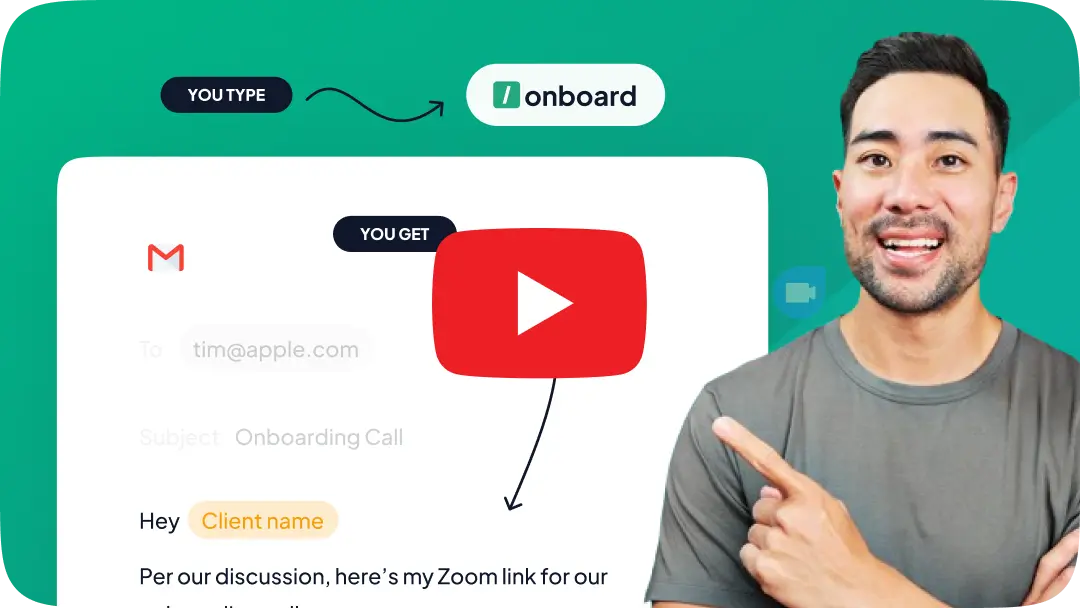
Install the Typedesk browser extension, plus the desktop app for Windows or Mac.
Save your most-used HelpCrunch answers as templates, each with a short shortcut like /refund or /hours.
In a HelpCrunch chat, type the shortcut in the reply box and the full response expands instantly.
Your HelpCrunch replies, with superpowers!
Typedesk text expander takes HelpCrunch saved responses further, with fill-in fields and use beyond HelpCrunch.
Fill in details as you type
HelpCrunch tokens auto-fill saved attributes like a first name. Typedesk goes further with fields you complete as the template expands, for order numbers, dates, or anything not stored in HelpCrunch.
Works beyond HelpCrunch, in every app
Typedesk replies work in the HelpCrunch inbox and in email, Slack, and every other app your team uses, all from one library.
Share one reply library with your team
Keep every approved answer in a single shared library so your whole team replies consistently, with central updates pushed to everyone.
Insert any reply with a shortcut
Type a short shortcut like /refund and the full response expands right in the HelpCrunch reply box, and the same shortcut works everywhere else too.
Take HelpCrunch saved responses to a new level
The most versatile way to create and reuse replies in HelpCrunch
Features

Create templates with custom fill-in fields


Share templates with teammates
Insert templates with a text shortcut
Search templates by keyword
Organize templates into folders
Reuse the same templates across apps
Comparison covers the built-in reusable-message features available in each product's standard interface. Optional add-ins, mobile keyboards, developer APIs, and third-party tools are excluded.
HelpCrunch saved responses include a # shortcut, tags for search, and auto personalization tokens such as {first_name}; Typedesk adds fields you fill in as you type, folder organization, and use across every app.
Reply faster in HelpCrunch
Load your most-used answers into Typedesk, assign a shortcut to each, and let your agents reply in seconds while staying on-brand.
I love typedesk! It is by far one of my favourite tools to have in our tech stack.

Pip Meecham
Tech Advisor & ClickUp Channel Partner
We use typedesk to ensure that communications remain aligned and uniform across all our channels as our company scales up.

Michael Johnson
Senior Certification Specialist, HighLevel
This software is unreal. It's like having a ChatGPT writing assistant on every single app I use and having all the prompts I can create at my fingertips.

Michael Montefusco
Founder, Fitness Marketing Machine
This app is a phenomenal tool.

David Shutler
Senior Recruitment Consultant
While our help desk does provide saved answers, I use typedesk to maintain a personal voice in my canned responses quickly and efficiently.
Melanie Shears
Finance & People Operations, Customer Billing Specialist, Helpscout
Very flexible & convenient, very fast, active developing team with regular updates! Saving me hours of my time.

Gerrit Grunert
Looking for Gmail CREMs
Love it!! I would love to see more case uses for ChatGPT integration. I saw just the video from the blog. Love the tool and have been using it for a while.

Zee Ali
Founder of ZSwag.com and Wealth Armor
typedesk saves me so much time! Creating a template is easy to do and these shortcuts save so much time. I'm finding new ways every week to continue optimizing my time by fine tuning my templates. The new features provide easy ways to create multiple results from a single template.
Jason E.
COO
Hi all. This product is well developed, easy to use and fast. I use Typedesk for months now. Every day it helps me to accelerate my work. I can use canned response everywhere, shortcuts for common texts and organize them by theme. You can elaborate longer text models with variables. With ChatGPT integrated, it will become faster than ever. A must have tool. Bravo et mille fois merci !! @michel_vermeulen1

Philippe Ruaudel
A French SciFi writer A DBA Oracle
Simply the best time saving app, easy to use and implement and very lightweight

Jamie Forster
@jamie_forster
Fantastic app. I have been a customer for past 2 years. Deployed this on 6 of our companies and my users can't function without this tools. We have adopted it into daily operation. Simply the best. We stopped using the rest of the tools despited we paid for them.

Andy Tran
@andy_tran15
Awesome tool and time-saver

Clay Curtin
Local gov
absolutely love TypeDesk for what it offers, and not only the product, but the customer service.

Paul Burns
Bookkeeper
Typedesk allready was really usefull as my textexpander. But when I started using ChatGPT and other AI tools I quickly starting using Typedesk as my prompt repository too. If you are into prompting you'll notice that there is a lot of reoccuring phrases. Like "Imagine you are a SEO specialist" and "Write using Hemmingway rules". Exactly those elements you can store in Typedesk and use easily to construct your 'perfect' prompt. And you can use it in ChatGPT but also in all other AI tools. For me Typedesk is the 'perfect' prompt repository.

Asing Ku
@asing_ku
Congrats @michel_vermeulen1 on the new launch. Typedesk has hit the floor running, adding great value and features from the start. It has come a long way with each new update. Michel has always provided great support and eager to build on client suggestions. The UI/UX has improved so much and the canned responses are now super fast. With adding things like ChatGPT, we look forward to future development. Last year I wanted to use typedesk to fill out repetitive online forms and he said that it is not possible at the moment but finished the email with "But, never say never". Well, we are now in neverland.

Hak
@hak_jenkins
The classic investment: text once + save time over and over again.

Urs Frei
@urs_frei
I liked the ability of standardizing, templating routine and every important interactions. IT saves time and lesser the mistakes the more productivy. Keep up!

Divyesh Vasani
podcaster about founder stories
Started using it a few weeks ago... it's honestly a god send [can't believe it's the only solution out there of its type]... And the beauty of it is that it's reasonably priced, the team is responsive and it just works! Can't wait for the future of TypeDesk!

Emmanuel Lemor
@emmanuellemor
This is the kind of tool that is a bit underrated, it deserves even more love. I am sucker for time savings and improving my effiency and this tool does deliver. Love the ease of use and the way it makes me more productive even minutes after I started to use this. The only thing I need to do is to think when I type in something I reuse a lot, to make a canned response of it! Well deserved 5 taco's!
BossOfTime
I wasn't exactly sure what it does or how it might help me. But the basic concept sounded like something that might come in handy for someone like me who is launching his own membership platform where I'll be engaging customers through a support desk, creating tutorials and running a membership site.
ricklewis
Typedesk ist ein prima Tool. Das Beste ist, dass man "Canned Responses" mit "Variablen" festlegen kann. Dies kann gerade im Support eine Menge Zeit sparen.
Marco
I often found it difficult to repeatedly type the same content. I told myself to create some kinds of storage for easy copy and paste, but I often gave up because of the inconvenience in working out such a storage. And TypeDesk really come as a rescue: a full-round solution and helped me to save significant repeating time!!!
HoangV
I purchased typedesk and started using it. This app is one of the best in corresponding with our clients. Now I dont need to write emails, proposal etc again and again. typedesk made life easier, it's my assistant buddy now. Thanks typedesk... Highly recommended!
Sumo-ling
We're loving typedesk! It's easy to use, and saves us tons of time when it comes to sending emails to our customers. The variables work well, although we wish we could have alternate email addresses assigned to each user and be able to use them in variables.
sebfontan
this is a must-have tool for all company owners! huge time saver
masuk_sarker

Trusted by 15,000+ teams worldwide

Frequently asked questions
Common questions about HelpCrunch canned responses and saved replies.
Visit learning center
 Does HelpCrunch have canned responses?
How is Typedesk different from HelpCrunch saved responses?
Does Typedesk work inside HelpCrunch?
Can the whole support team share the same responses?
Is it free?
Sign up for FREE today
Join the text expander revolution. Get typedesk for you and your team today to reclaim your time!

Rated 4.8/5 over 300+ verified reviews
Live from our Blog Omnichannel Support Software: How to Choose the Right Tools