
Discord + Typedesk
canned replies you can reuse everywhere
Running a Discord community or support server means answering the same questions across channels, threads, and DMs all day. Discord's standard composer has no built-in library for saving and reusing your own replies, so those replies get retyped or pasted from a notes doc. Typedesk lets you save each one once and drop it into Discord by typing a short shortcut like ;welcome or ;rules, and the full message appears instantly. This page shows how the Typedesk integration works in Discord and what it adds on top.
Available on Mac, Windows and in your browser

Rated 4.8/5 over 300+ verified reviews
How to create canned responses in Discord
Discord's standard message composer has no built-in library for saving and inserting your own reusable replies, so the usual workaround is keeping them in a separate doc and pasting them. Here is that manual workaround, and the faster way with Typedesk.
Without Typedesk
For reference, here is the manual workaround. Discord has no way to save and reuse your own replies, so you keep them elsewhere and paste them in. It works, but Discord itself provides no text-expansion shortcuts, fill-in fields, or reusable reply library.
With Typedesk
Typedesk runs through the desktop app and browser extension, so it works directly in Discord. No notes doc, no copying and pasting.
Keep your common messages in a separate notes app or document.
When you need one, switch to that doc and copy the text.
Paste it into the Discord message box and edit the details by hand.
Because Discord has no reusable template library, you switch apps and copy-paste every single time.
Save your standard messages in Typedesk, each with a short shortcut like ;welcome or ;rules (a trigger that avoids Discord's / commands).
Open a Discord channel, thread, or DM and type the shortcut.
The full message expands instantly, ready to post or edit.
Why Discord servers need canned responses
- Welcome messages and server rules.
- Answers to your most common community questions.
- Moderation and warning messages that stay consistent.
- Support steps and links to your docs.
How it works
Set up Typedesk once and reuse your Discord messages everywhere you type.
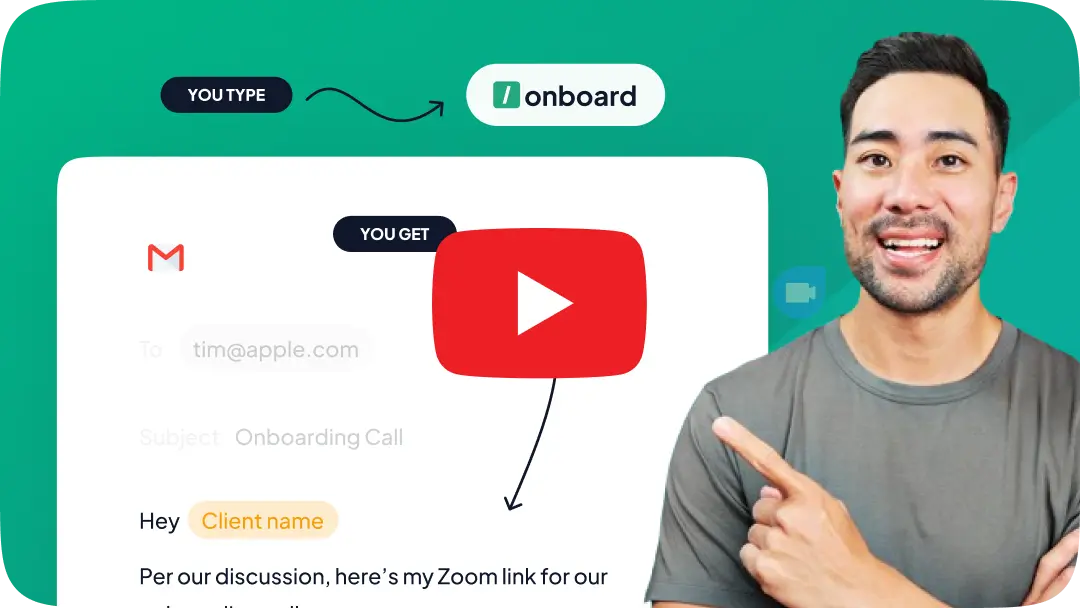
Install the Typedesk desktop app for Windows or Mac, plus the browser extension for Discord on the web.
Save your most-used Discord messages as templates, each with a short shortcut like ;welcome or ;rules.
In Discord, type the shortcut in a channel, thread, or DM and the full message expands instantly.
One library for Discord and everywhere else
Your replies should not be trapped in a notes doc. Typedesk keeps a single library, so the same messages you use in Discord also work in email, your help desk, Slack, and any web form. Update the wording once, and it updates everywhere, and a team of moderators can share one approved library.
Your Discord messages, with superpowers!
Typedesk text expander gives Discord the reusable replies it lacks, with fill-in fields and easy sharing.
Fill in details as you type
Typedesk drops a username, date, or channel-specific detail into your message as it expands, so a reused message still reads like you wrote it just now.
Works beyond Discord, in every app
Typedesk messages work in Discord and in email, your help desk, and every other app you use, all from one library.
Share one message library with your moderators
Keep every approved message in a single shared library so your whole mod team posts consistently, something Discord does not offer on its own.
Insert any Discord message with a shortcut
Type a short shortcut like ;welcome and the full message expands right in the Discord message box, with no notes doc to open and nothing to paste.
Give Discord the canned responses it is missing
The most versatile way to create and reuse messages in Discord
Features

Create templates with custom fill-in fields


Share templates with teammates
Insert templates with a text shortcut
Search templates by keyword
Organize templates into folders
Reuse the same templates across apps
Comparison covers the built-in reusable-message features available in each product's standard interface. Optional add-ins, mobile keyboards, developer APIs, and third-party tools are excluded.
Reply faster in Discord
Save your most-used Discord messages in Typedesk once, assign a shortcut to each, and post in seconds while staying consistent.
I love typedesk! It is by far one of my favourite tools to have in our tech stack.

Pip Meecham
Tech Advisor & ClickUp Channel Partner
We use typedesk to ensure that communications remain aligned and uniform across all our channels as our company scales up.

Michael Johnson
Senior Certification Specialist, HighLevel
This software is unreal. It's like having a ChatGPT writing assistant on every single app I use and having all the prompts I can create at my fingertips.

Michael Montefusco
Founder, Fitness Marketing Machine
This app is a phenomenal tool.

David Shutler
Senior Recruitment Consultant
While our help desk does provide saved answers, I use typedesk to maintain a personal voice in my canned responses quickly and efficiently.
Melanie Shears
Finance & People Operations, Customer Billing Specialist, Helpscout
Typedesk is awesome. I've saved so much time in my financial planning business. I use canned responses for marketing, regular emails for clients, regular phrases, and plan to add more for my advice documents. I can only imagine how good it's going to be with an OpenAI integration.

Grant Millar
I'm a financial adviser who loves tech.
A great productivity boost for me.

Upendra Singh Rathore
Co-founder, Chordius Digital LLP
I(we) absolutely LOVE typedesk. This is a no brainer for any solopreneur or team that have to deal with customers support, fill forms on a regular basis, or just save time in general. It also syncs up on the cloud with everyone on the team so we have brand consistency across the company and remove the guessing out of the replies that our team have to generate keeping it custom for all our clients. We write or edit it once, and the entire team is automatically up to date for their very next communication. It's 10x faster, and works like a charm across all our platforms. UI is friendly with minimal learning curve. And like that wasn't enough, they just brought chatGPT integration at no extra cost allowing us to bring the power or 'reply', 'paraphrase', 'summarize' and much more to all our activities with the press of a keystroke. No need to copy/paste from one app to another or even having to go to chatgpt itself, it brings it right there and then for us. Thank you, definitely makes our life much easier. Our team now use it for their personal tasks as well.
Patrick Charlier
Co-founder
typedesk saves me so much time! Creating a template is easy to do and these shortcuts save so much time. I'm finding new ways every week to continue optimizing my time by fine tuning my templates. The new features provide easy ways to create multiple results from a single template.
Jason E.
COO
Simply the best time saving app, easy to use and implement and very lightweight

Jamie Forster
@jamie_forster
Typedesk has helped and my company be productive everywhere, where we need to reuse text. Even when programming it's very helpful. It can act as a codesnippet database. For marketing, we have saved our brand color codes easiliy accessible by just typing :color and then selecting the color we want. The code is then automatically added to any text field. Super useful!

Tobias Geisler
Coach & CEO
I love love love Typedesk. With this new update, we can use Typedesk directly for simple 1-step prompts. This would be great for generating email responses, title/metadescriptions generator etc. I can already think of some awesome use cases!

Duy Nguyen
App junkie
🤗 I have been using Typedesk since December 2021 and I will never go back, there are really so many use cases for this incredible tool, that a comment is not enough, I will summarize it by saying that I use it every day and at all times: A keyboard shortcut + a couple enter or text entries and everything solved... 🔥 Many customers have noticed the difference and have asked me directly "How do you do it?", obviously I have recommended them in every way. 🤯 I've seen the announcements of the new features, specifically the integration with ChatGPT, it will be a very powerful thing to further increase the value over Typedesk and also improve day-to-day productivity. About this (and it is understood) the only thing I regret is that it requires a paid ChatGPT account, which is an AI that I have tried, I see its potential for use, but I still haven't finished integrating it into my flow to pay for it. I know that day will come sooner rather than later, but for now I will wait. Thanks to the amazing team at Typedesk, they are the best 🏆 @michel_vermeulen1 -- Idioma nativo: 🤗 Estoy usando Typedesk desde diciembre 2021 y jamás volveré atrás, realmente son tantos los casos de uso para esta increíble herramienta, que no basta un comentario, lo resumiré diciendo que lo uso todos los días y a toda hora: Un atajo de teclado + un par de enter o entradas de texto y todo resuelto... 🔥 Muchos clientes han notado la diferencia y me han preguntado directamente "¿Cómo haces?", obviamente los he recomendado en todo sentido. 🤯 He visto los anuncios de las nuevas funciones, específicamente la integración con ChatGPT, será algo muy poderoso para aumentar aún más el valor sobre Typedesk y también para mejorar la productividad en el día a día. Sobre esto (y se entiende) lo único que lamento es que requiera cuenta pago de ChatGPT, que es una IA que he probado, veo su potencial de uso, pero aún no la termino de integrar a mi flujo como para pagar por ello... Se que ese día llegará más temprano que tarde, pero por el momento esperaré. Gracias al increíble equipo de Typedesk, son los mejores 🏆 @michel_vermeulen1

Jorge A. Merino
DISEÑADOR GRÁFICO Y WEB
My entire team uses Typedesk from sales to legal to project management. It's incredibly easy to use and saves us so much time. I've actually started saving ChatGPT prompts that I like for quick access using Typedesk as well 🙌🏼

Ronnie Sharpe
@ronnie_sharpe1
I can't live without typedesk. Every time I find myself typing something I've typed before, I add it to typedesk so I never have to manually type it again. The program is consistently maintained and faster than ever with the latest update. Will be a tool I use forever. I used to insert "Quick Parts" in my email, which is Outlook's version of canned text answers. It doesn't hold a candle to typedesk since I can use typedesk anywhere on my computer, not just email. It rocks.

Paul Colaianni
•
Typedesk is an automation tool for canned responses that can help increase efficiency and productivity in customer support. With this tool, agents can create and save predefined responses for common questions, allowing them to quickly respond to customers without having to type the same response over and over again. Typedesk is especially useful for those who work in customer support or similar roles where they receive many similar questions. Users can organize their responses into categories for easy searching and retrieval, and they can also customize their responses with replacement fields to tailor them to each specific case.

Tony Wiljanden
@tony_wiljanden
Congrats @michel_vermeulen1 on the new launch. Typedesk has hit the floor running, adding great value and features from the start. It has come a long way with each new update. Michel has always provided great support and eager to build on client suggestions. The UI/UX has improved so much and the canned responses are now super fast. With adding things like ChatGPT, we look forward to future development. Last year I wanted to use typedesk to fill out repetitive online forms and he said that it is not possible at the moment but finished the email with "But, never say never". Well, we are now in neverland.

Hak
@hak_jenkins
I liked the ability of standardizing, templating routine and every important interactions. IT saves time and lesser the mistakes the more productivy. Keep up!

Divyesh Vasani
podcaster about founder stories

Cyndi Dermody
@cyndi_dermody
Anyone that values their time should use a text expander solution.
Sumo-ling
This software is perfect and a time saver. I've added loads in there today and have already used it multiple time's. This is a must buy 👌👌👌
darren07
I had been looking for something exactly like this for a while because others I've tried have disappointed me. I was beginning to think I would never find it.
Sumo-ling
I use TypeDesk every day and it saves me the time and annoyance of typing repetitive text. It's seems like a small thing, saving a few seconds here, a few there, but they really do add up.
lionstail
Yes Just What I Needed! this is great for the repetitive task, such a time saver , my work production has gone through the roof with this tool thank you!
Sumo-ling
I purchased typedesk and started using it. This app is one of the best in corresponding with our clients. Now I dont need to write emails, proposal etc again and again. typedesk made life easier, it's my assistant buddy now. Thanks typedesk... Highly recommended!
Sumo-ling

Trusted by 15,000+ teams worldwide

Frequently asked questions
Common questions about canned responses in Discord.
Visit learning center
 Does Discord have canned responses or message templates?
Does Typedesk work in Discord?
What shortcut should I use in Discord?
Can my whole mod team share the same messages?
Is it free?
Sign up for FREE today
Join the text expander revolution. Get typedesk for you and your team today to reclaim your time!

Rated 4.8/5 over 300+ verified reviews
Live from our Blog Omnichannel Support Software: How to Choose the Right Tools