Create reusable AI prompts with Typedesk
Turn your best AI instructions into reusable prompt templates. Add variables, connect your own OpenAI API key, and use the same proven prompts whenever the task comes back around.
Typedesk helps you save, personalize, run, and share prompts. It is designed for recurring writing workflows, not one-off prompt ideas.
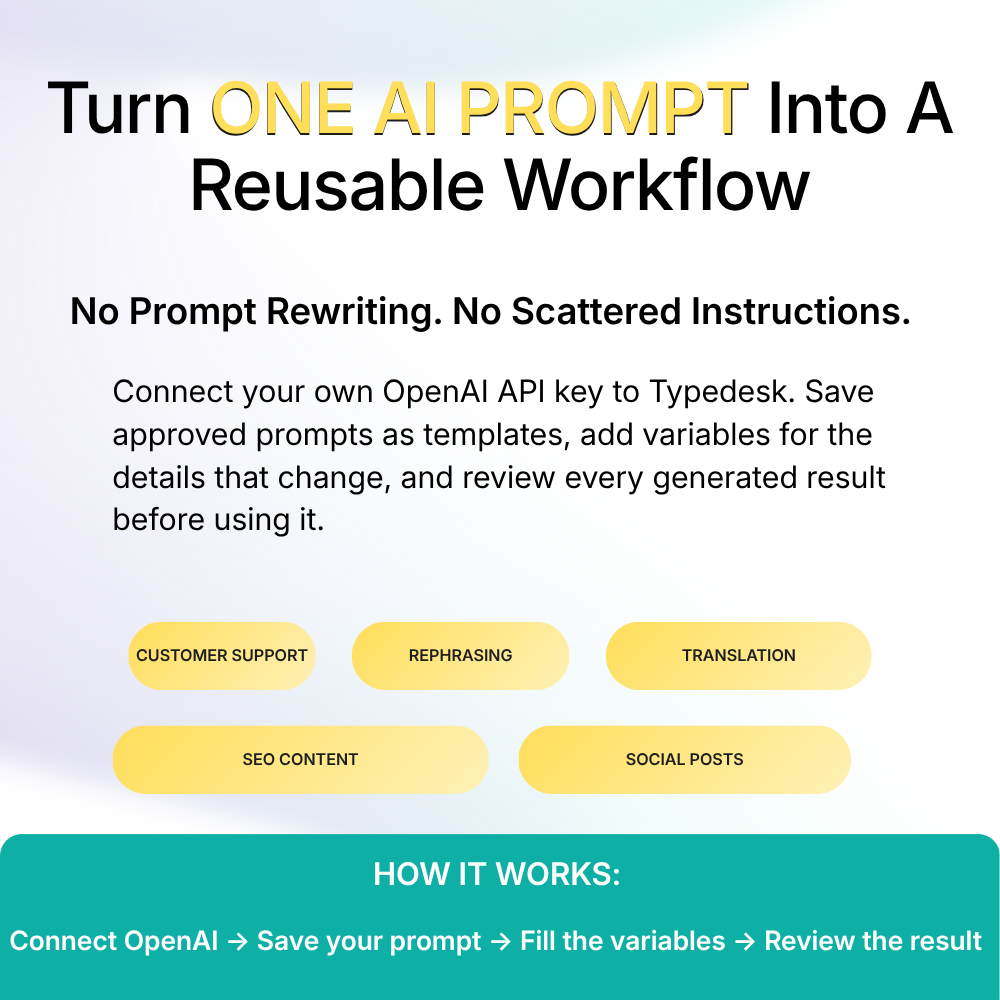

What is Typedesk's AI Prompt Generator?
Typedesk's AI Prompt Generator is a reusable prompt-template tool. You create an instruction once, add variables for the information that changes, and use the completed prompt to generate a new result through OpenAI.
Instead of copying prompts from documents or rewriting the same instructions, you can keep them in a searchable Typedesk library and share approved prompts with your team.
A typical online prompt generator creates a prompt idea for one task. Typedesk helps you keep and reuse prompts that already work for recurring tasks.
How does Typedesk work with OpenAI?
Four steps take you from a blank prompt to a reviewed, AI-assisted draft.
Connect your OpenAI API key
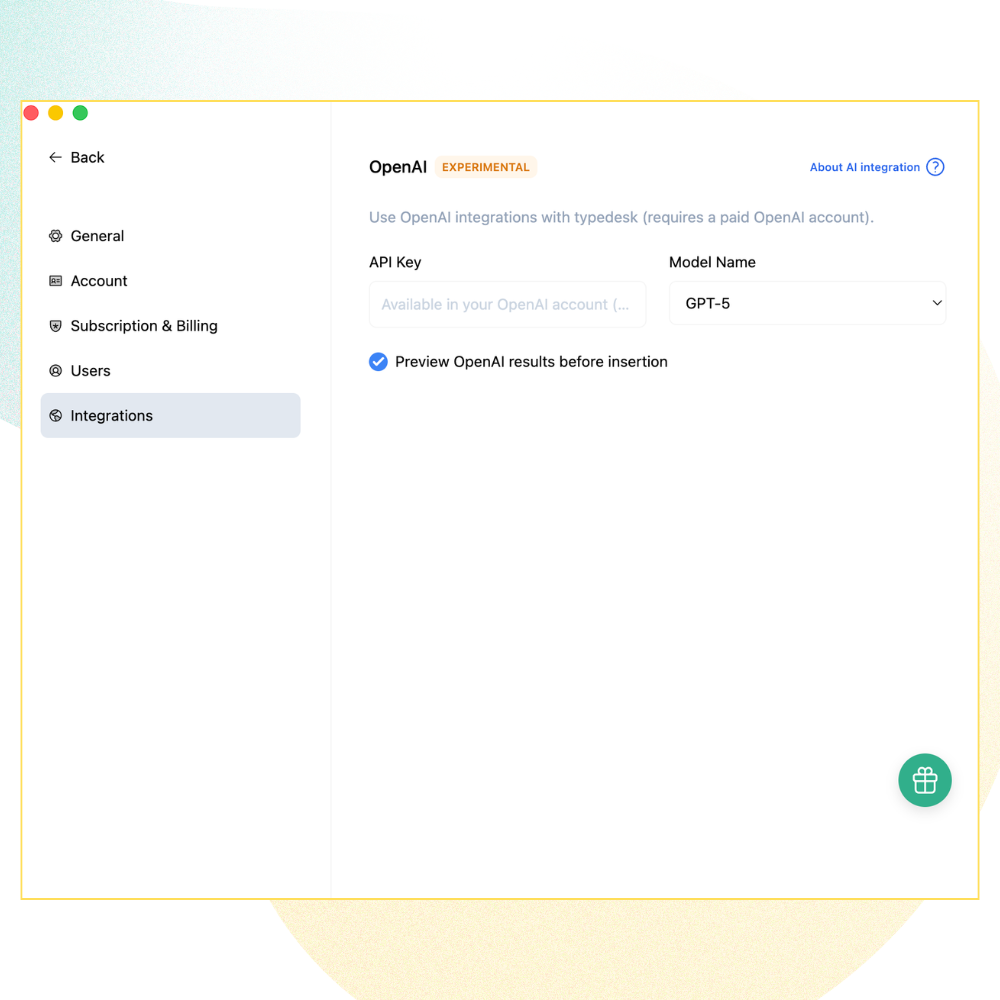
Create an API key through the OpenAI Platform, then add it under Settings → Integrations → OpenAI in Typedesk.
Create a reusable prompt template
Write the instructions the AI should follow, including the task, audience, tone, required facts, restrictions, and output format.
Add variables
Replace changing information with variables, such as the customer question, product, desired tone, response length, or next step.
Run and review the result
Complete the variables, generate the response, and review it before using it. AI gives you a draft. You remain the editor with the final say.
Connect your own OpenAI API key
Typedesk's end-user AI features require your own OpenAI API key. The key connects Typedesk to your OpenAI Platform account, where OpenAI manages API access, usage, and billing.
Read the Typedesk Help Center guide to using OpenAI with Typedesk.
What is an OpenAI API key?
An OpenAI API key is a private credential used to authorize requests to the OpenAI API. It is different from your ChatGPT password and should be kept secret.
How to create and add your API key
- Sign in to the OpenAI Platform.
- Open the OpenAI API keys page.
- Create a new secret key.
- Copy the key and store it securely.
- Check your OpenAI API billing settings.
- Open Typedesk.
- Go to Settings → Integrations → OpenAI.
- Paste the key into the designated OpenAI API key field.
- Save the integration.
- Test it with a short, non-sensitive prompt.
Only enter the key in Typedesk's designated OpenAI integration field. Never put it inside a prompt, template, shared folder, screenshot, or support message.
Why use a reusable AI prompt?
| One-off prompt | Reusable Typedesk prompt |
|---|---|
| Written again for every task | Saved once and reused |
| Details edited manually | Changing details collected through variables |
| Often stored in scattered documents | Kept in a searchable template library |
| Usually personal | Can be shared with a team |
| Quality depends on remembering every instruction | Keeps approved instructions together |
| Requires copying between tools | Can be opened through the supported Typedesk workflow |
What Typedesk AI can do
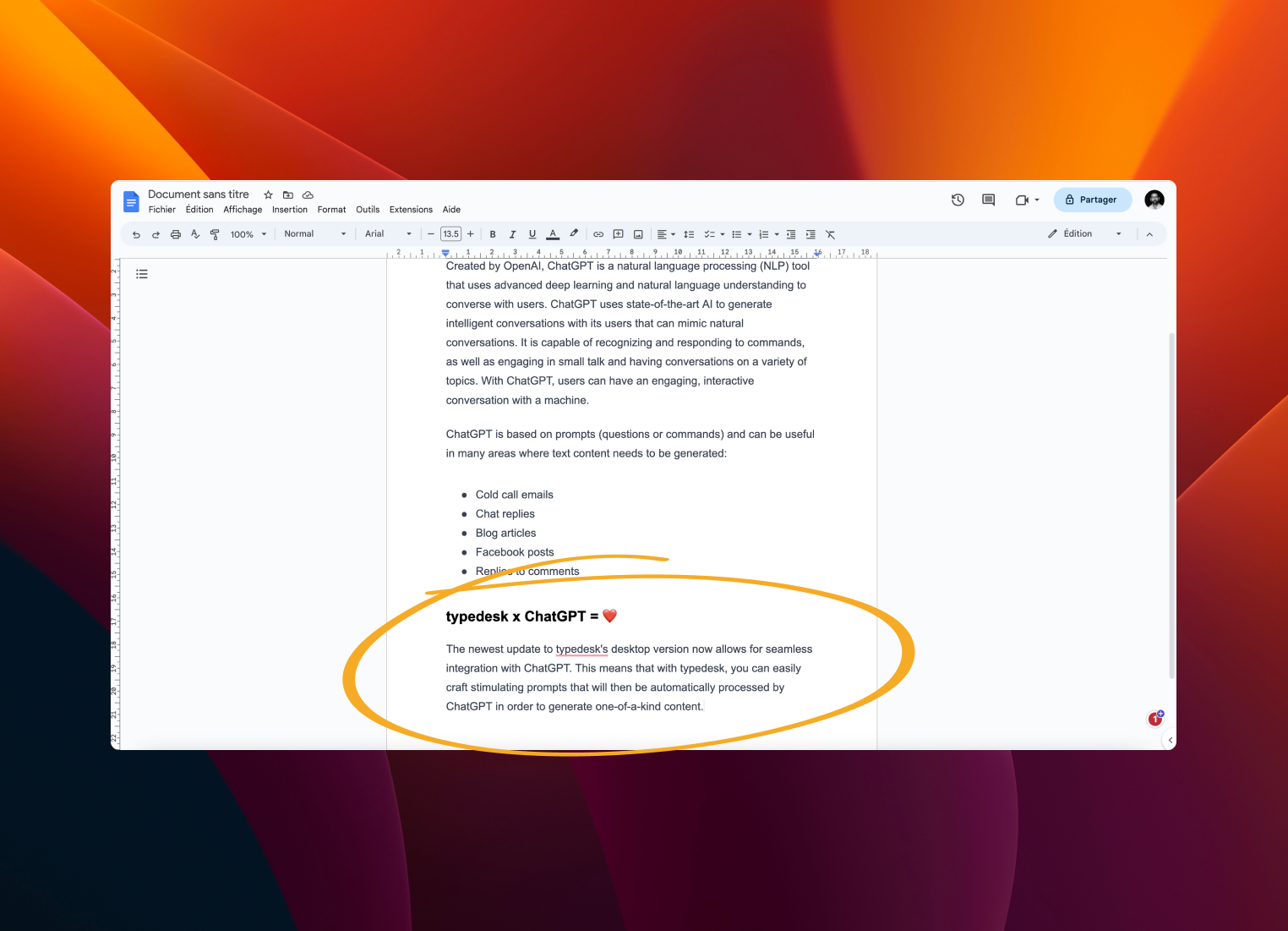
Save a prompt once, then reuse it for the writing tasks that keep coming back. Here are common ways teams put reusable Typedesk prompts to work.
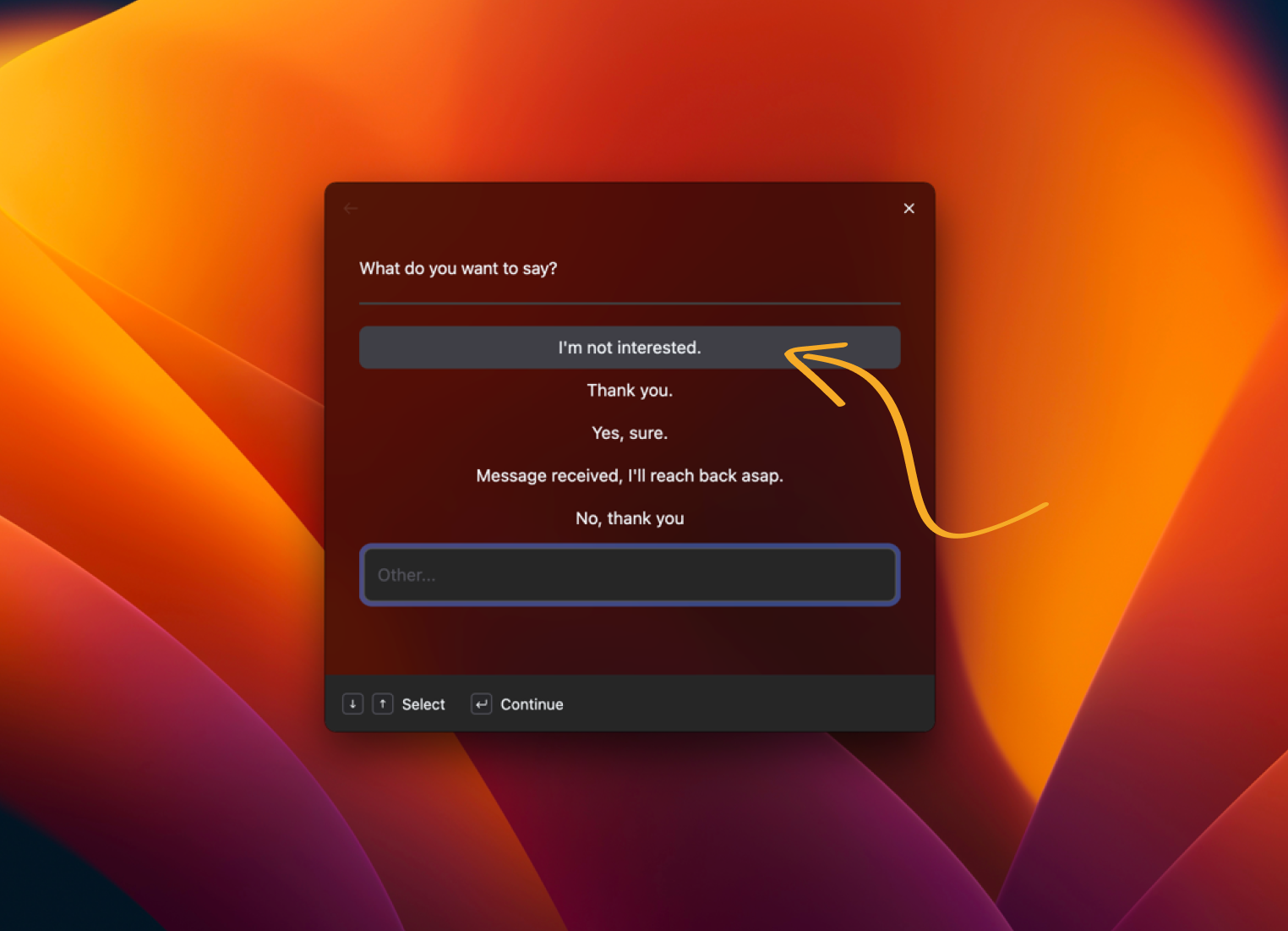
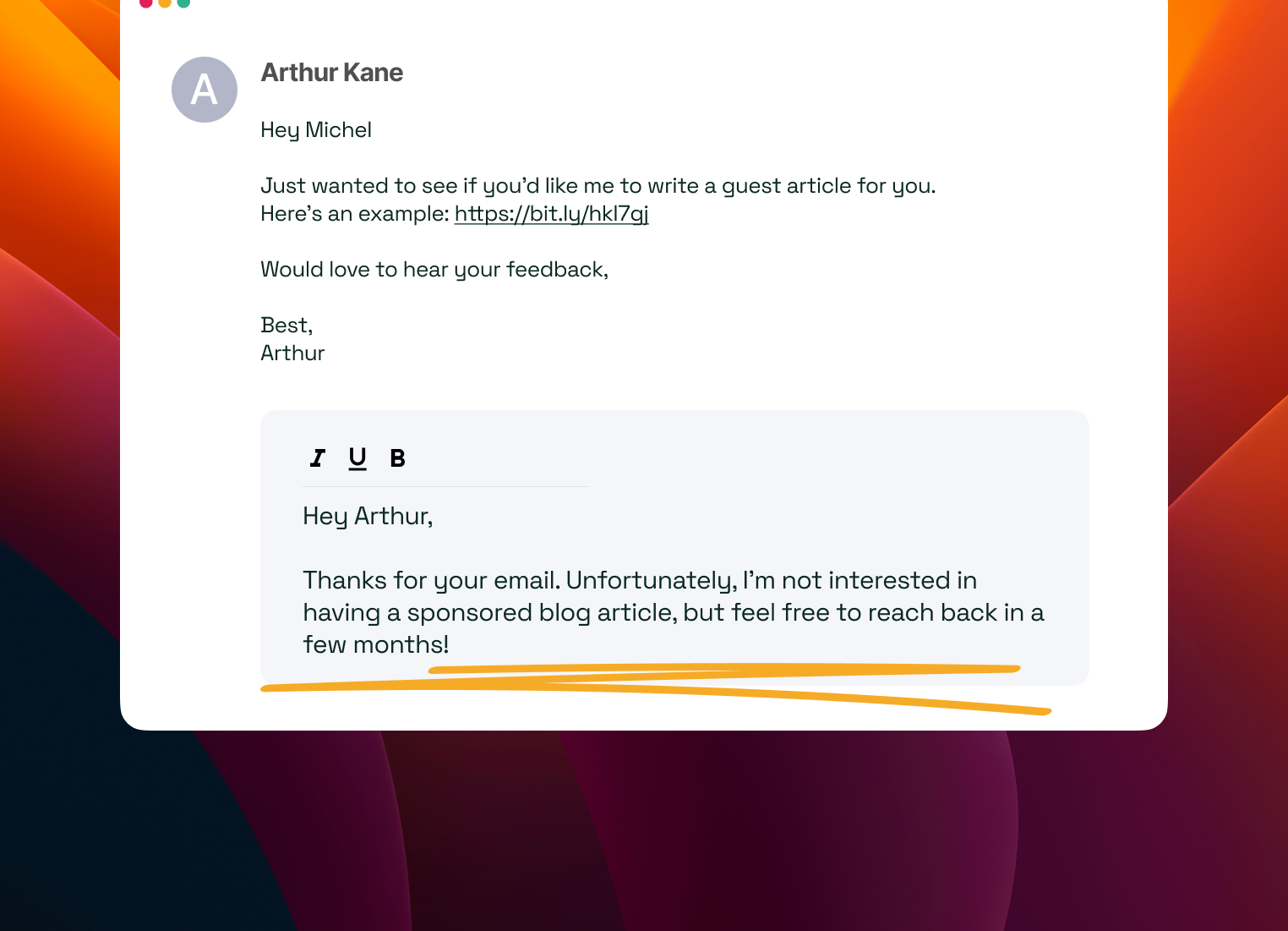
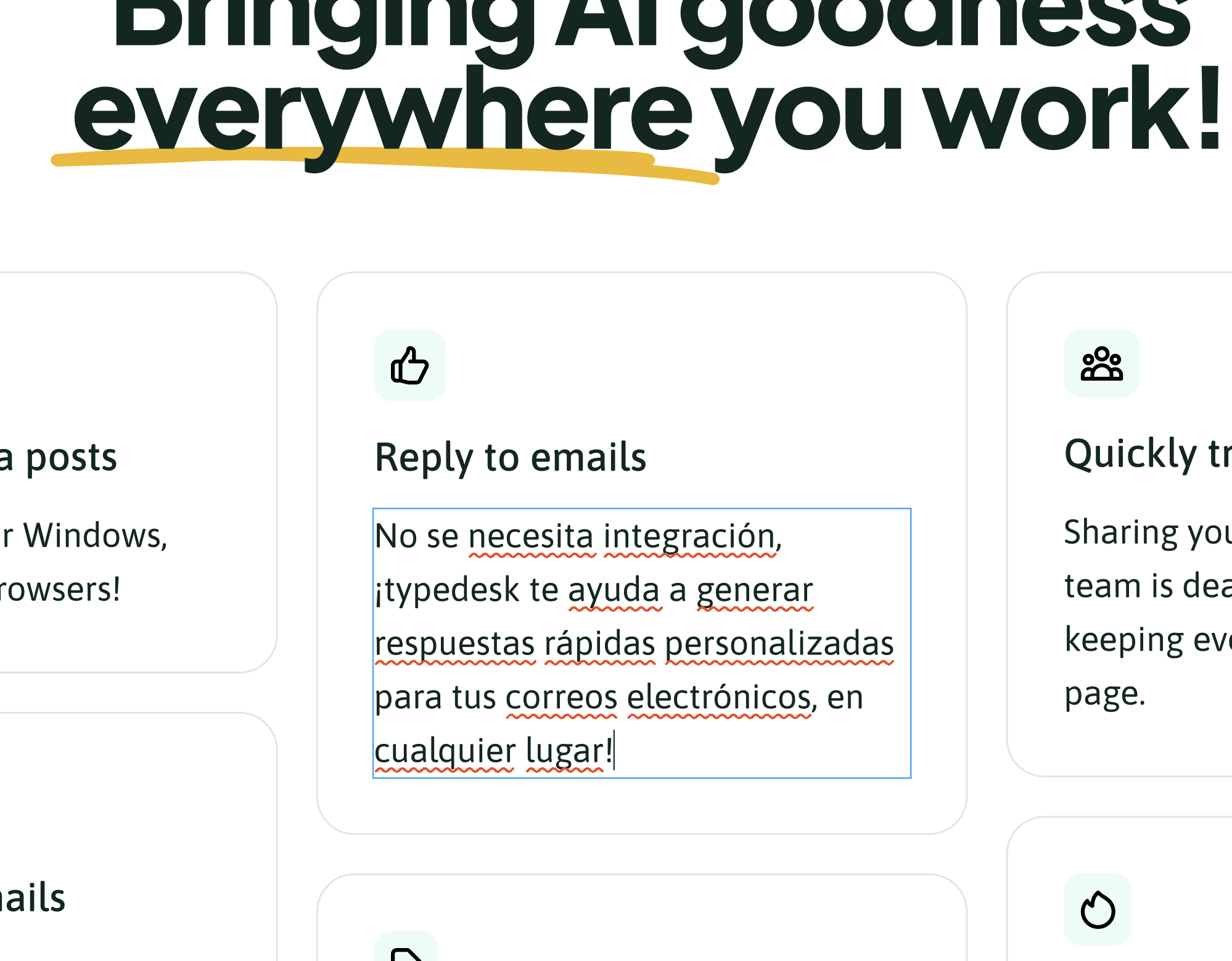
Draft email replies
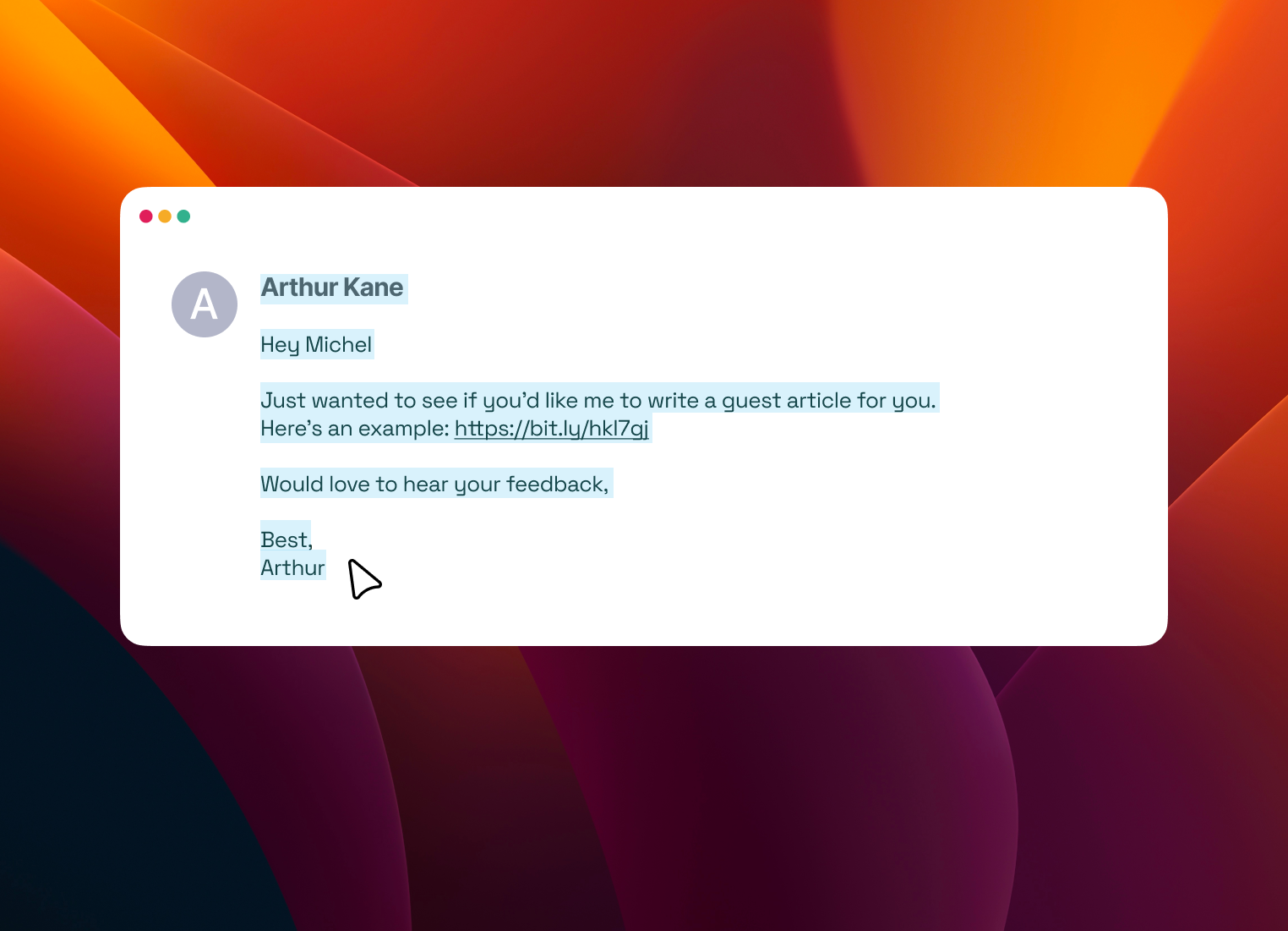
Select an email and Typedesk generates a reply draft using your own parameters.
Select an email
Open the email you want to reply to.
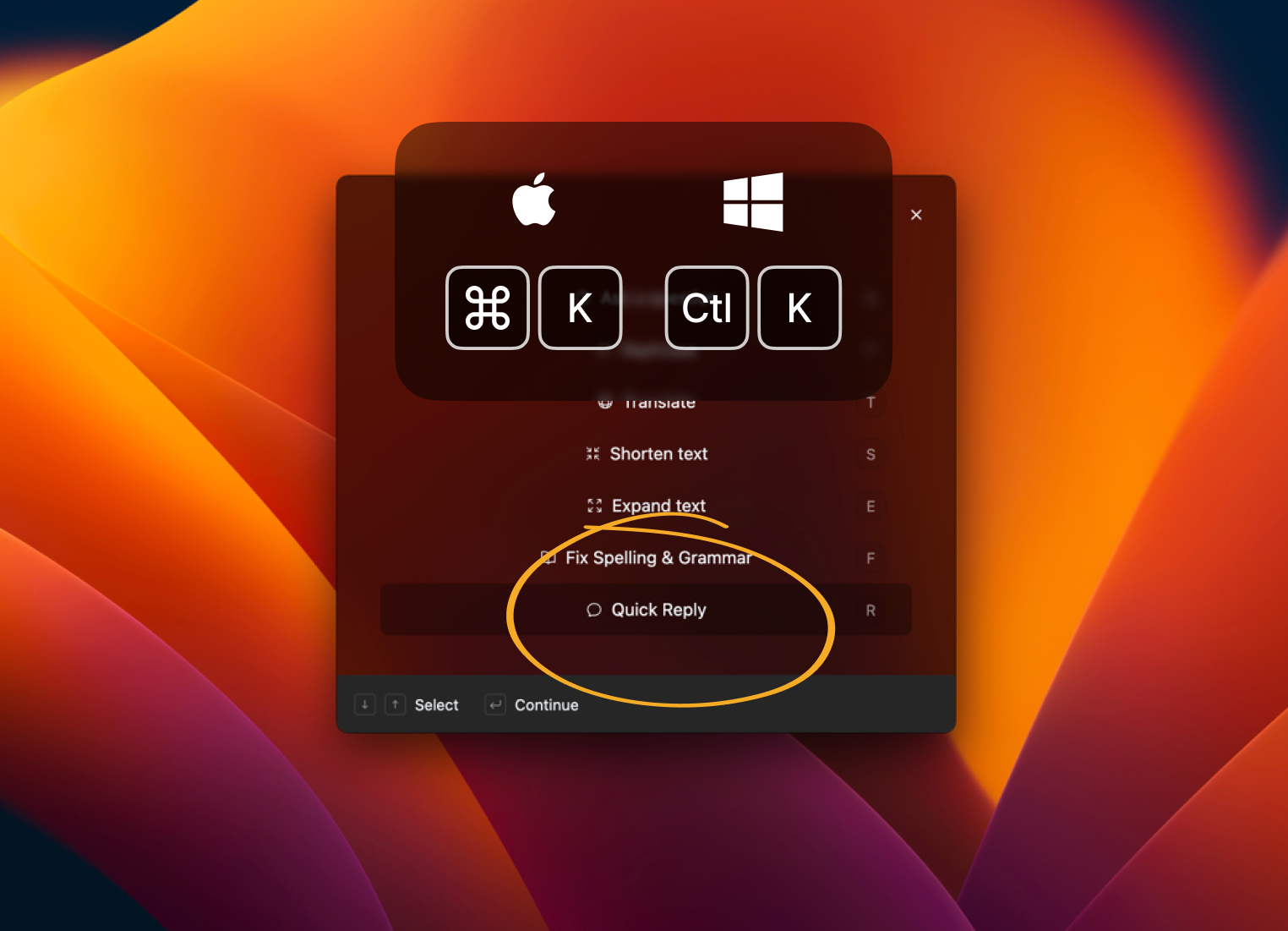
Open Quick Actions
Press Alt+K on your keyboard and select Quick Reply.
Select a quick reply
Or enter a custom quick reply in the text box.
Boom!
You're done!
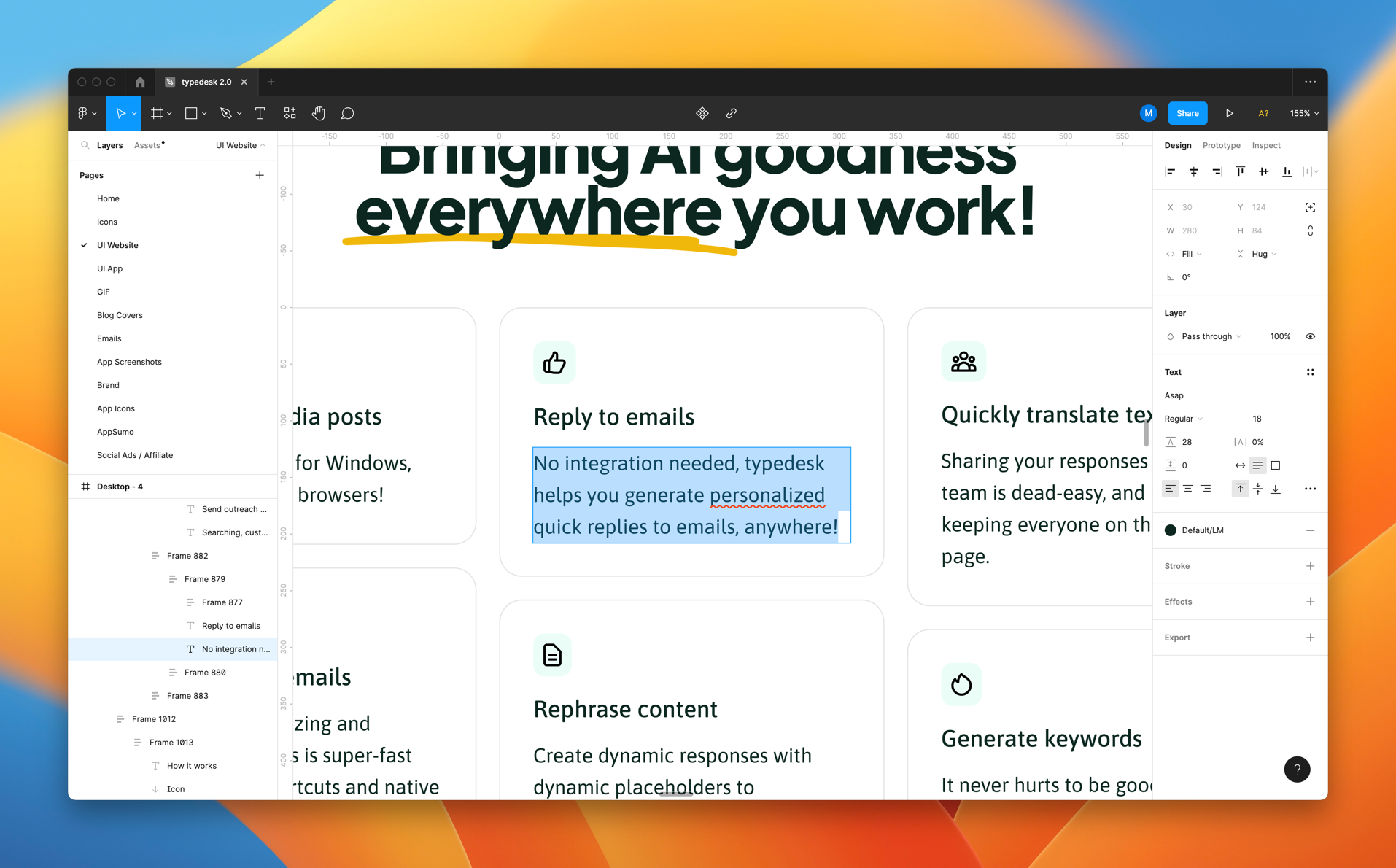
Rephrase content
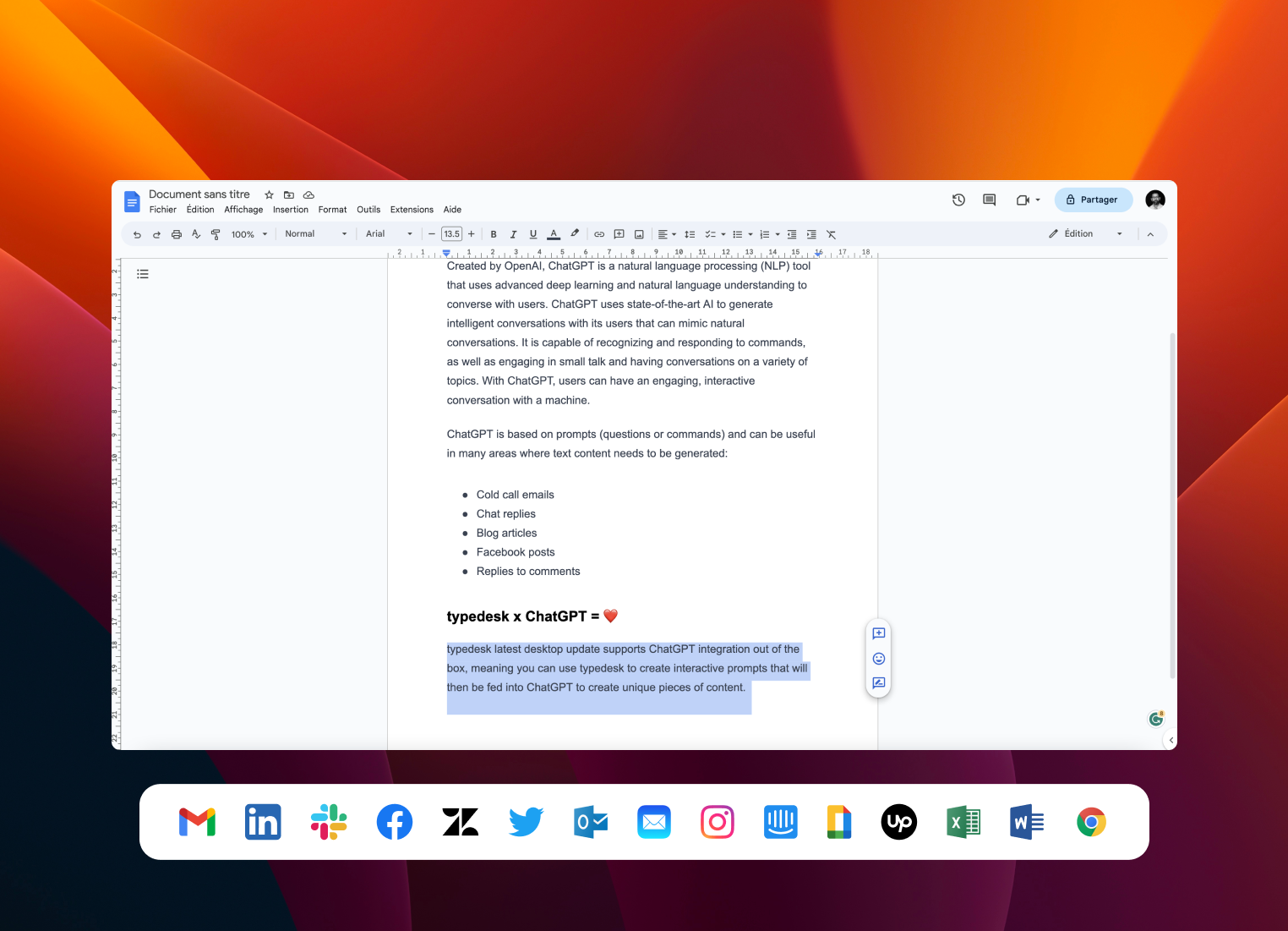
Quickly create alternative versions of your content and rephrase or proofread sentences.
Select any text
Select the text you want to rephrase.
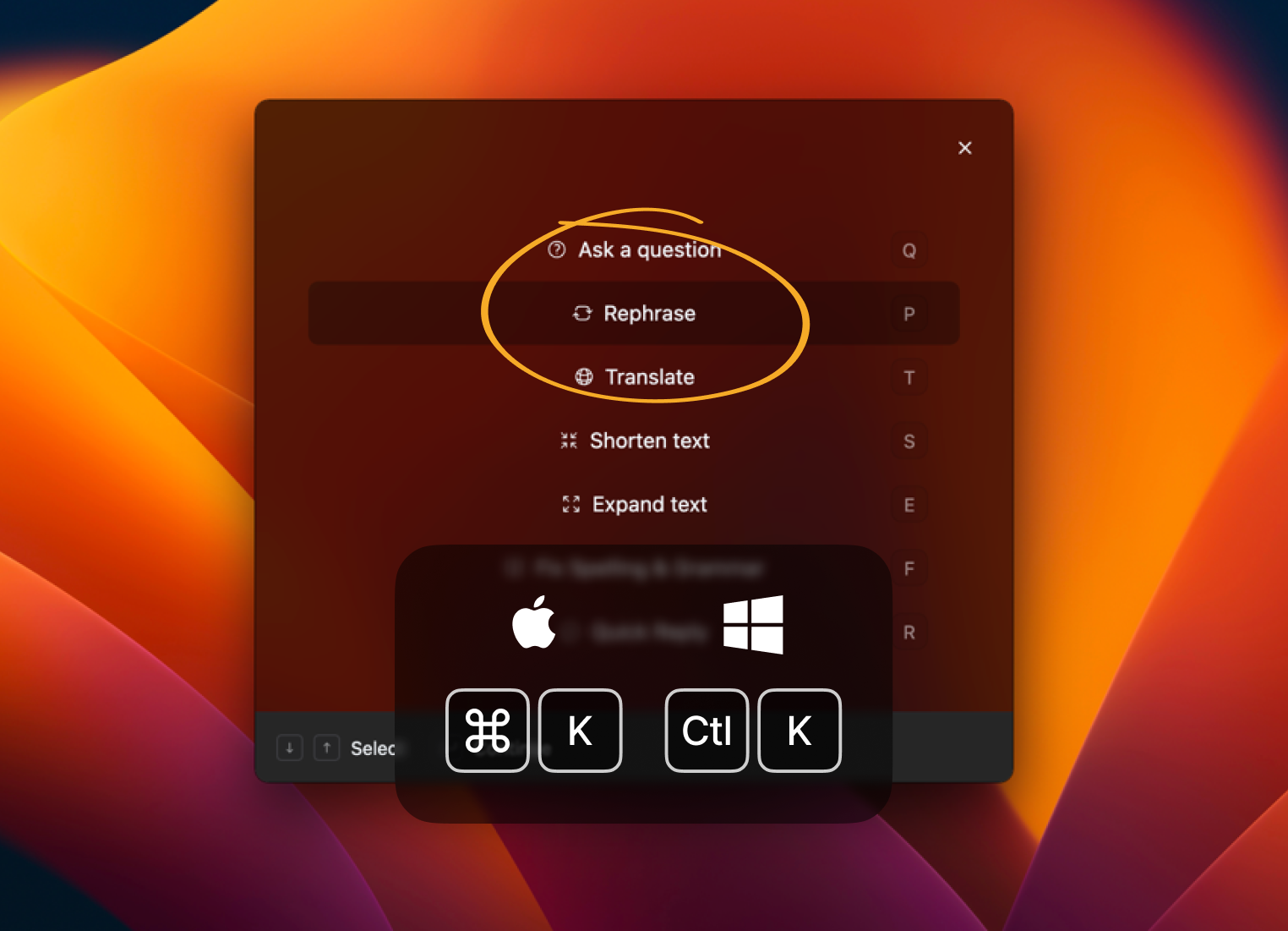
Open Quick Actions
Press Alt+K on your keyboard and select Rephrase.
Boom!
You're done!
Translate text
Translate text on the go into your chosen language, then review important translations before using them.
Select some text
Select text in the app you are working in.
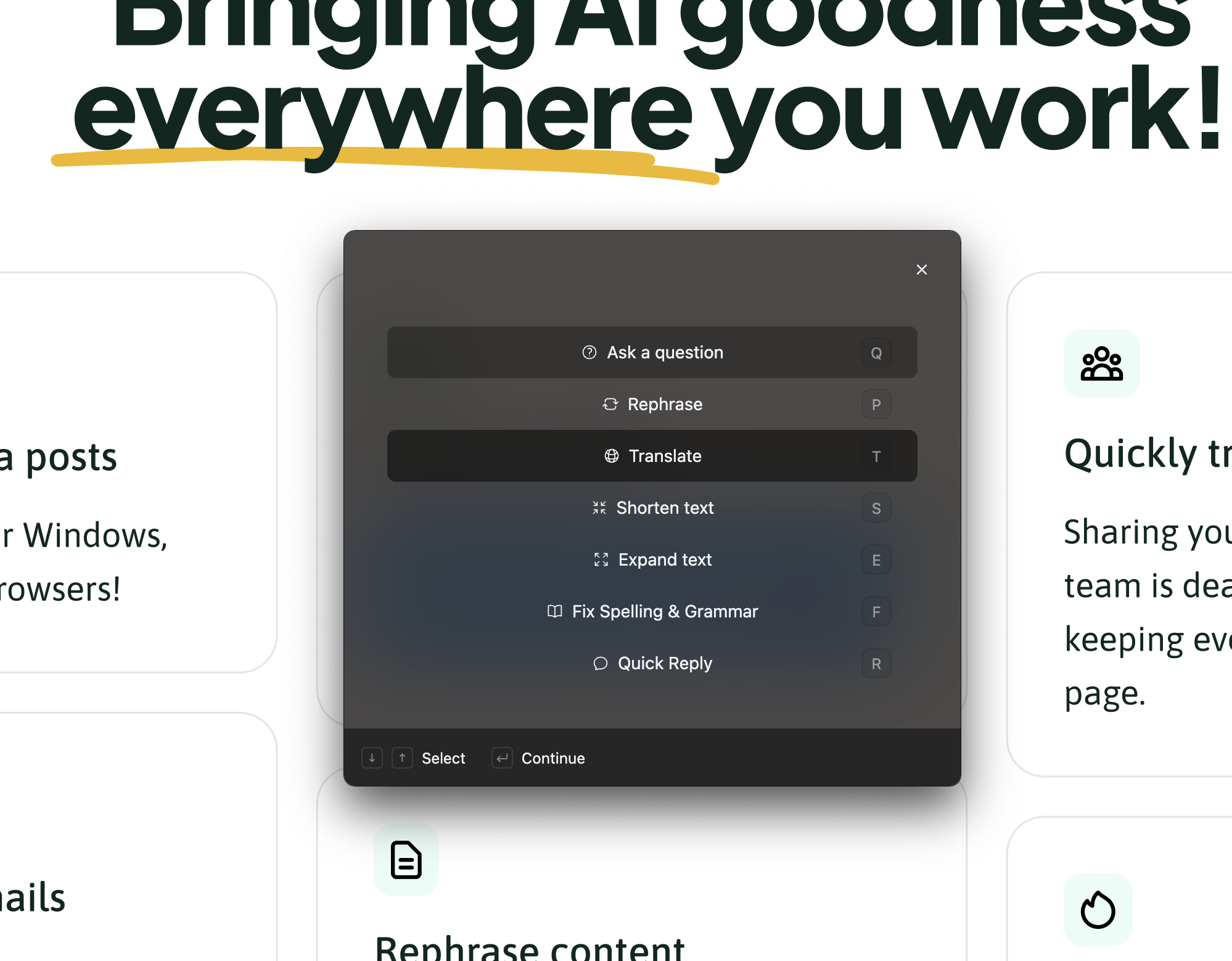
Open Quick Actions
Press Alt+K on your keyboard and select Translate.
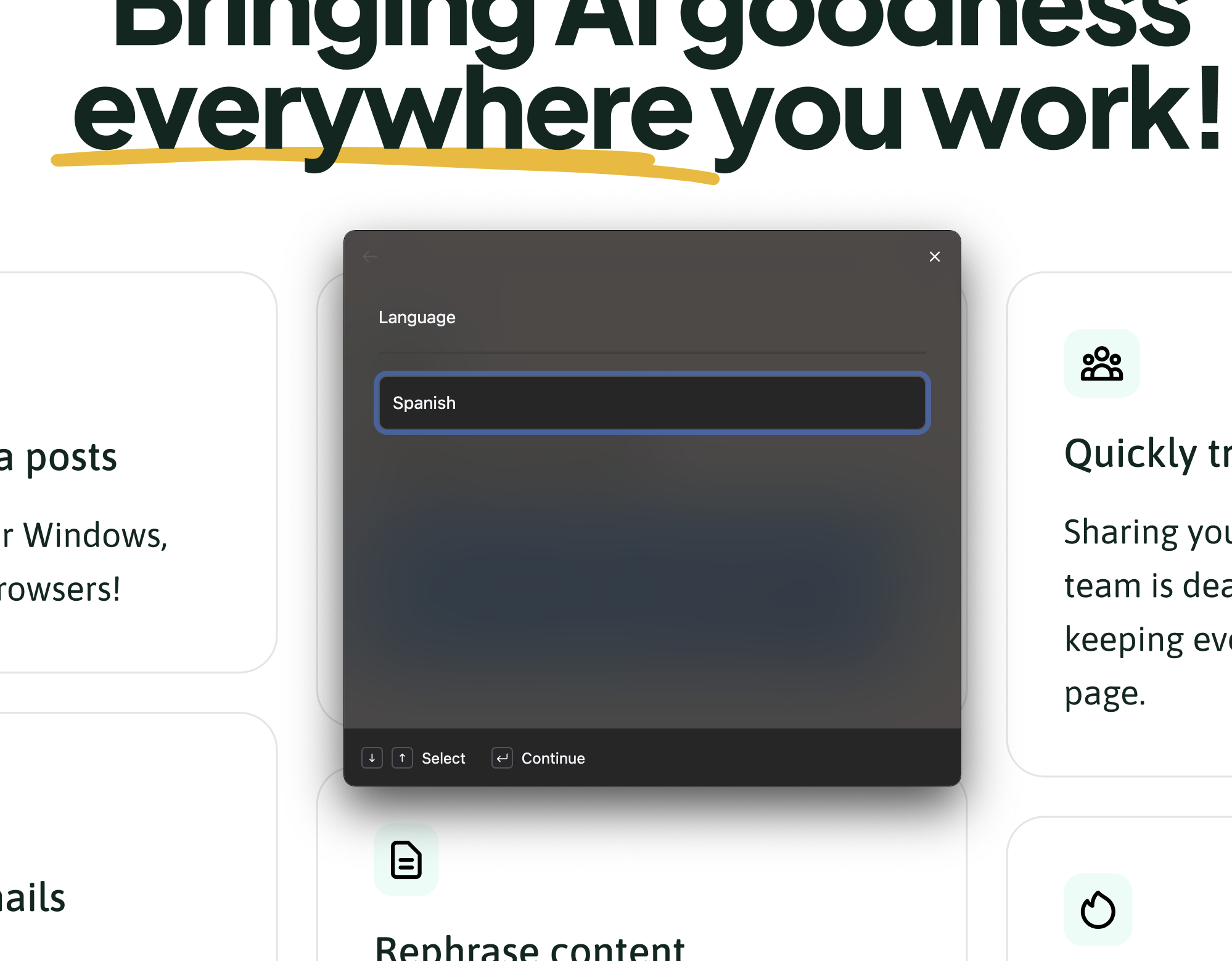
Choose a language
Enter your target language.
You're done!
Typedesk translates and inserts the text for you.
Draft SEO components
Draft first versions of titles, meta descriptions, and outlines, then verify keywords and facts with your own SEO tools.
Head to your favorite app
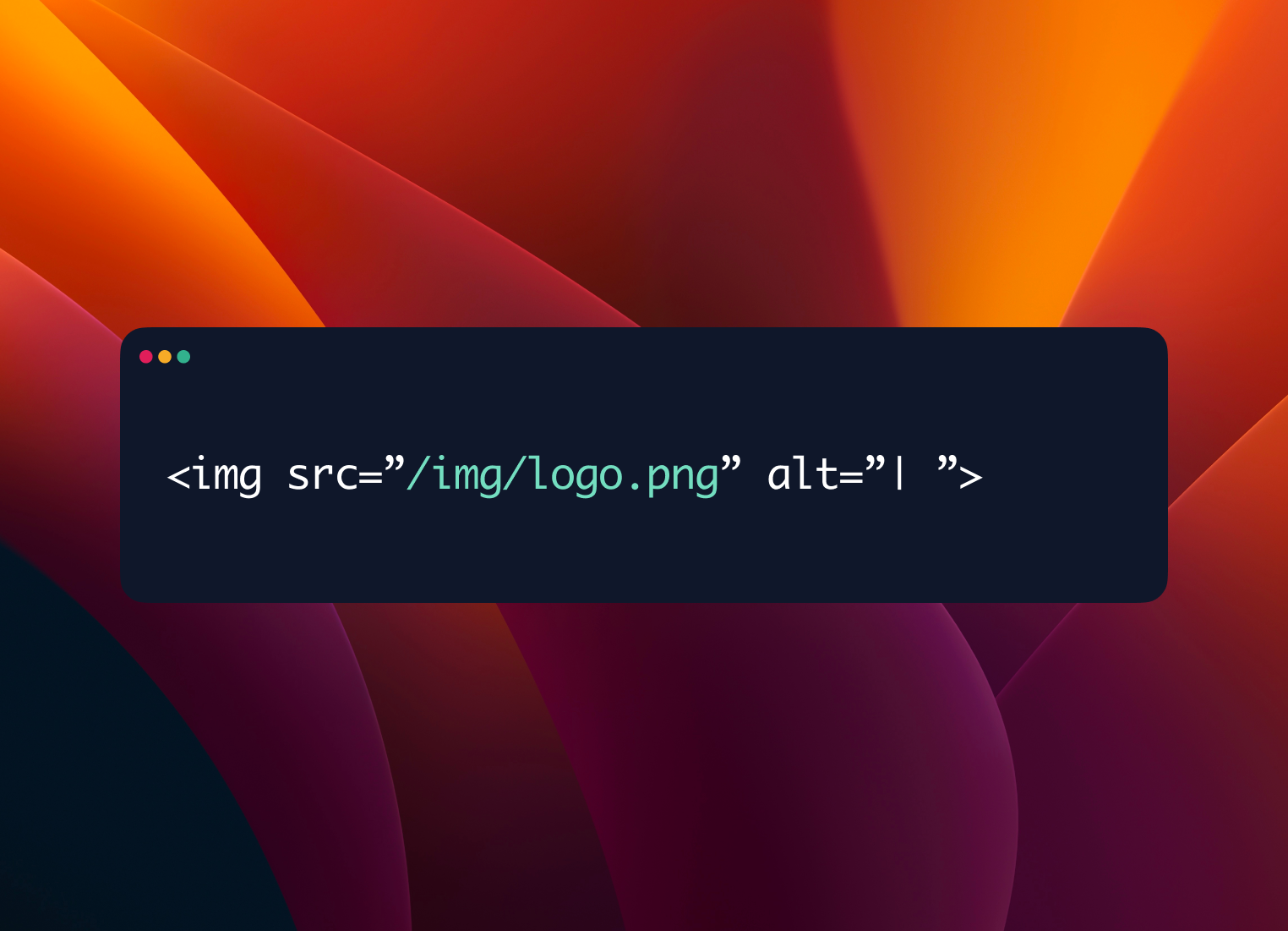
In this example, we'll find keywords for an ALT tag
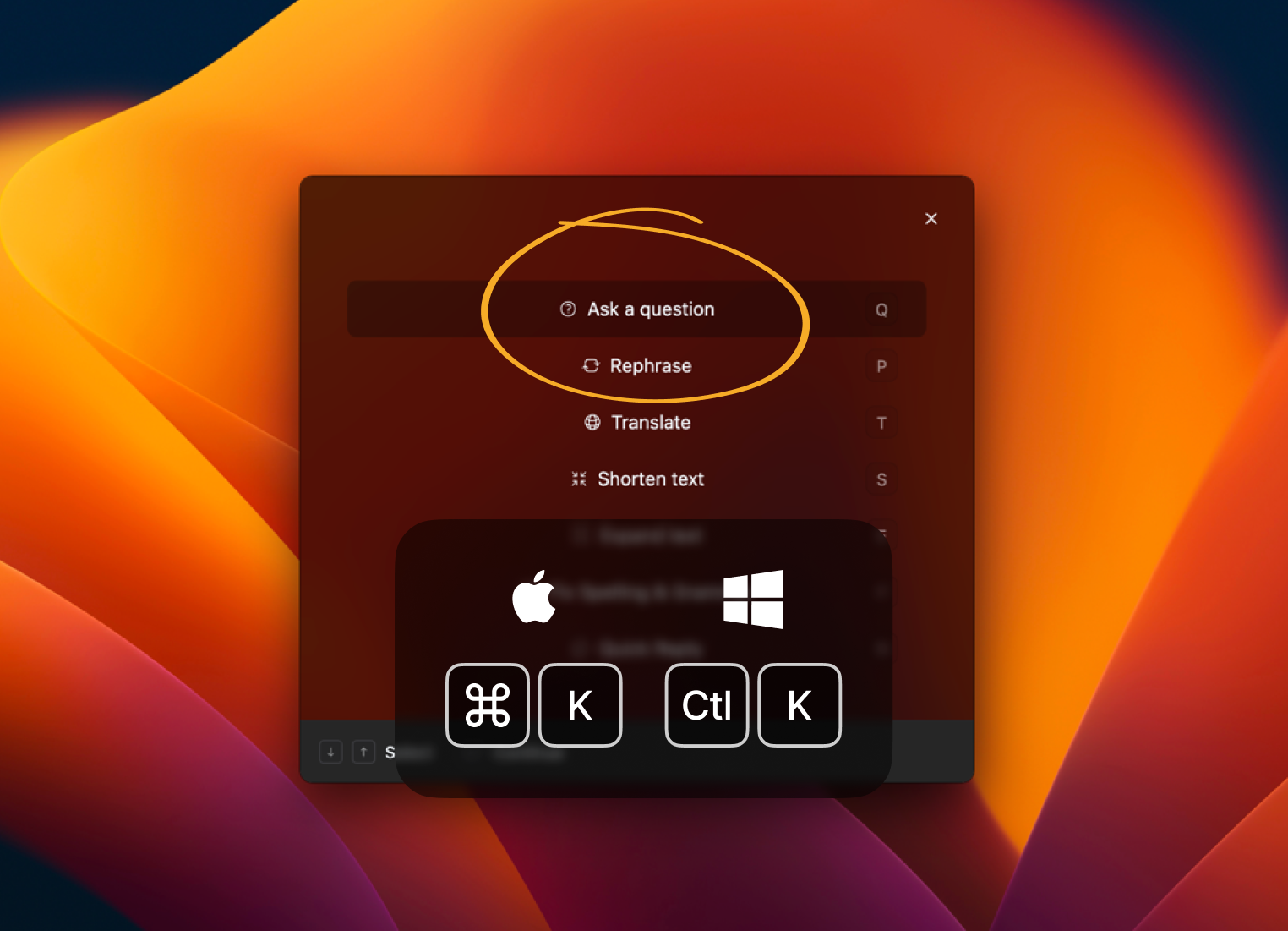
Open Quick Actions
Press Alt+K on your keyboard and select Ask a question.
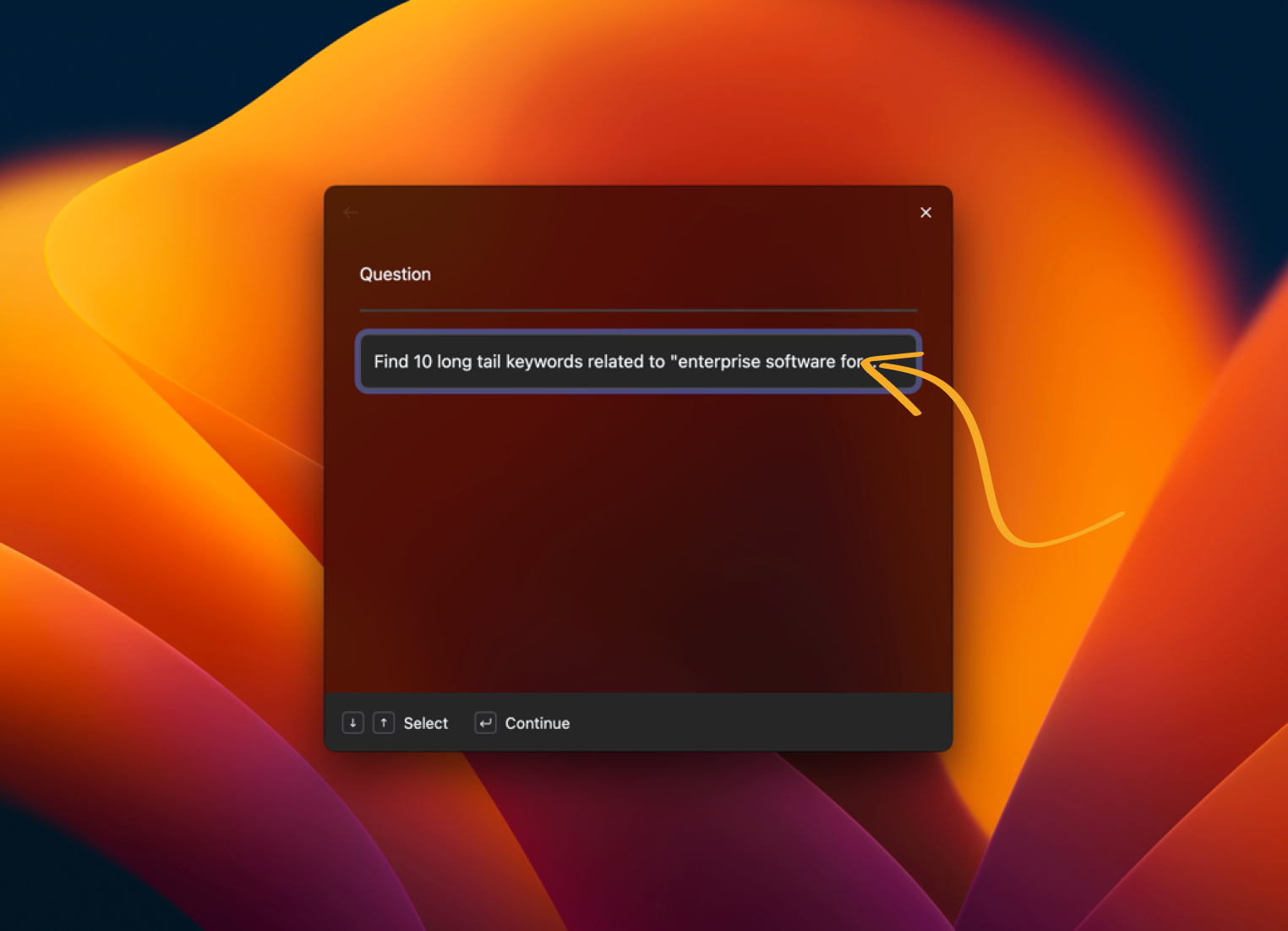
Enter your prompt
For instance, find related keywords for my main keyword
Boom!
You're done!
Personalized LinkedIn introductions
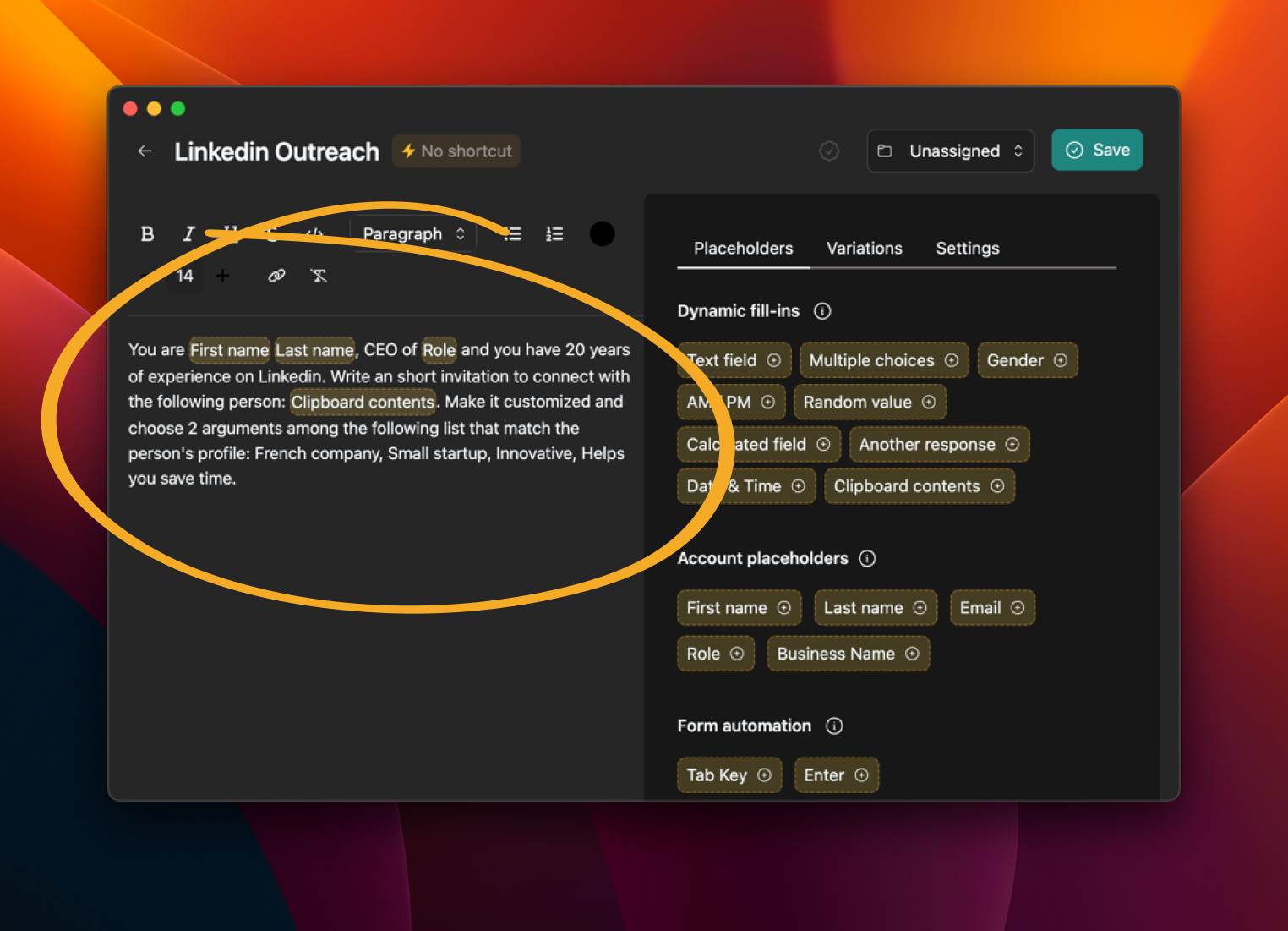
Draft custom, engaging outreach messages for sales and recruiting conversations.
Create a prompt model
Use the Clipboard variable to grab the target's information quickly.
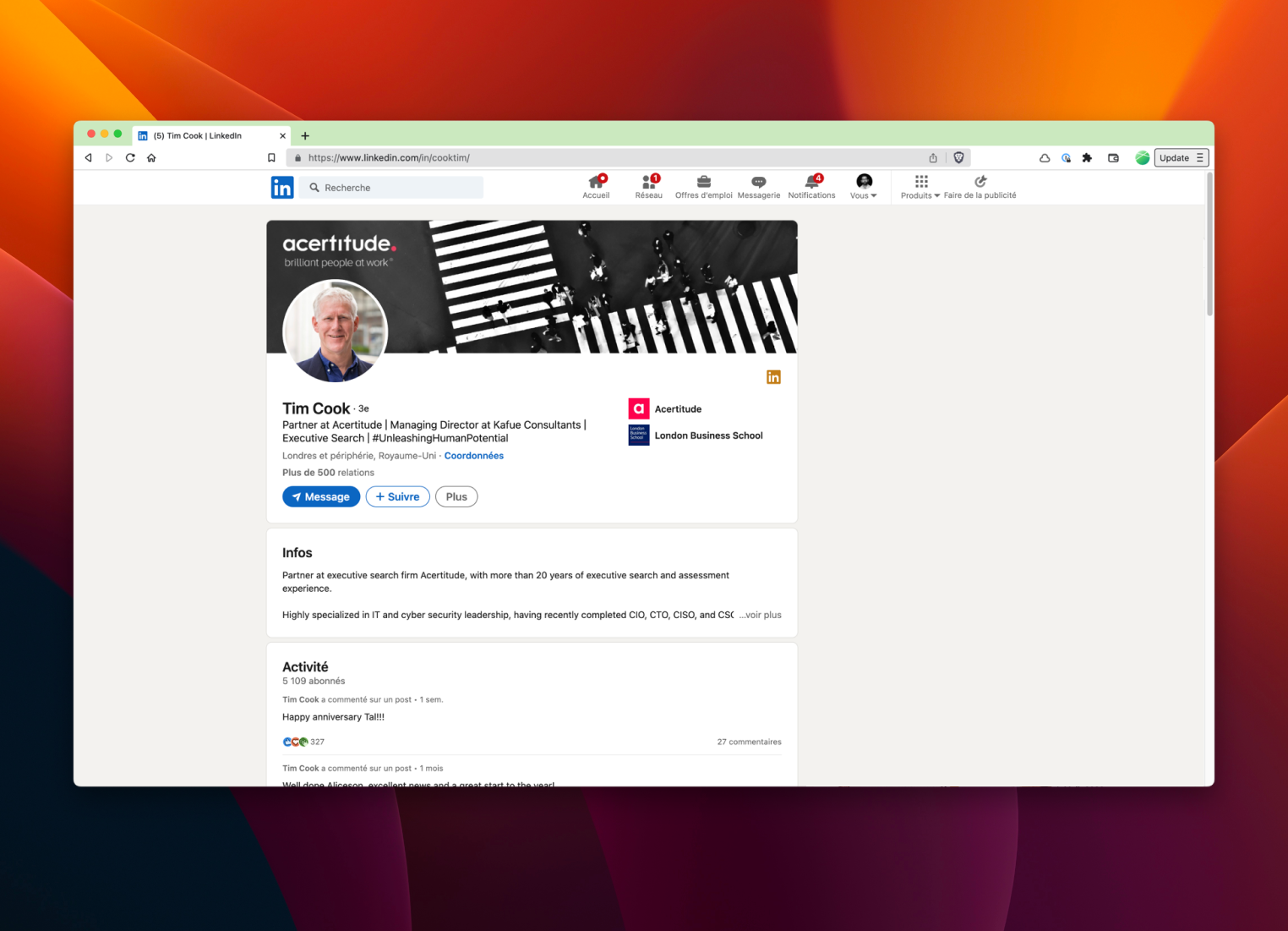
Visit a LinkedIn profile
Copy the header to the clipboard
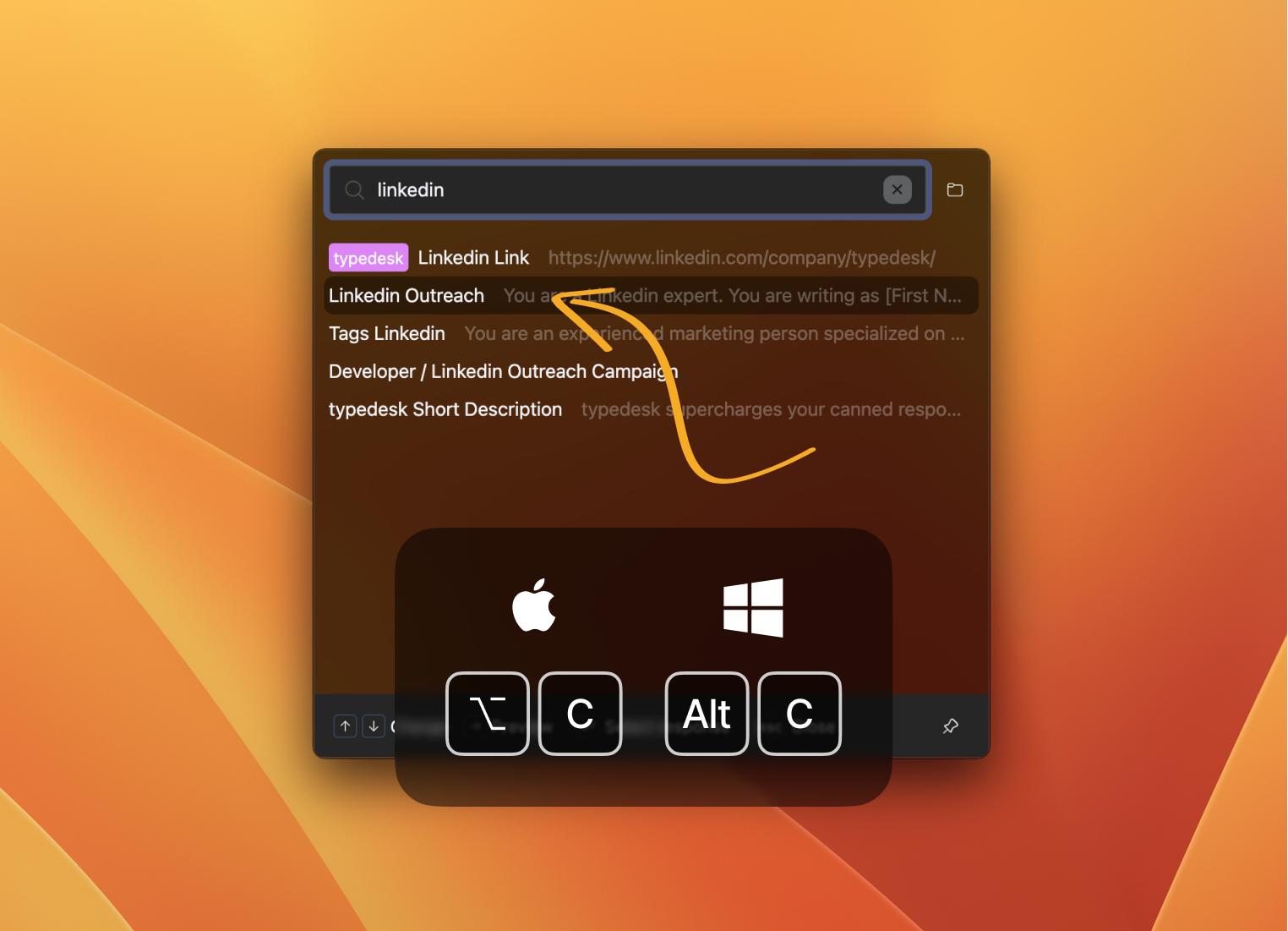
Open Quick Access
Use the shortcut Alt+C to quickly use your prompt template.
Boom!
You're done!

Write social media posts
Craft engaging posts for LinkedIn, Facebook, or Twitter, and generate hashtags easily.
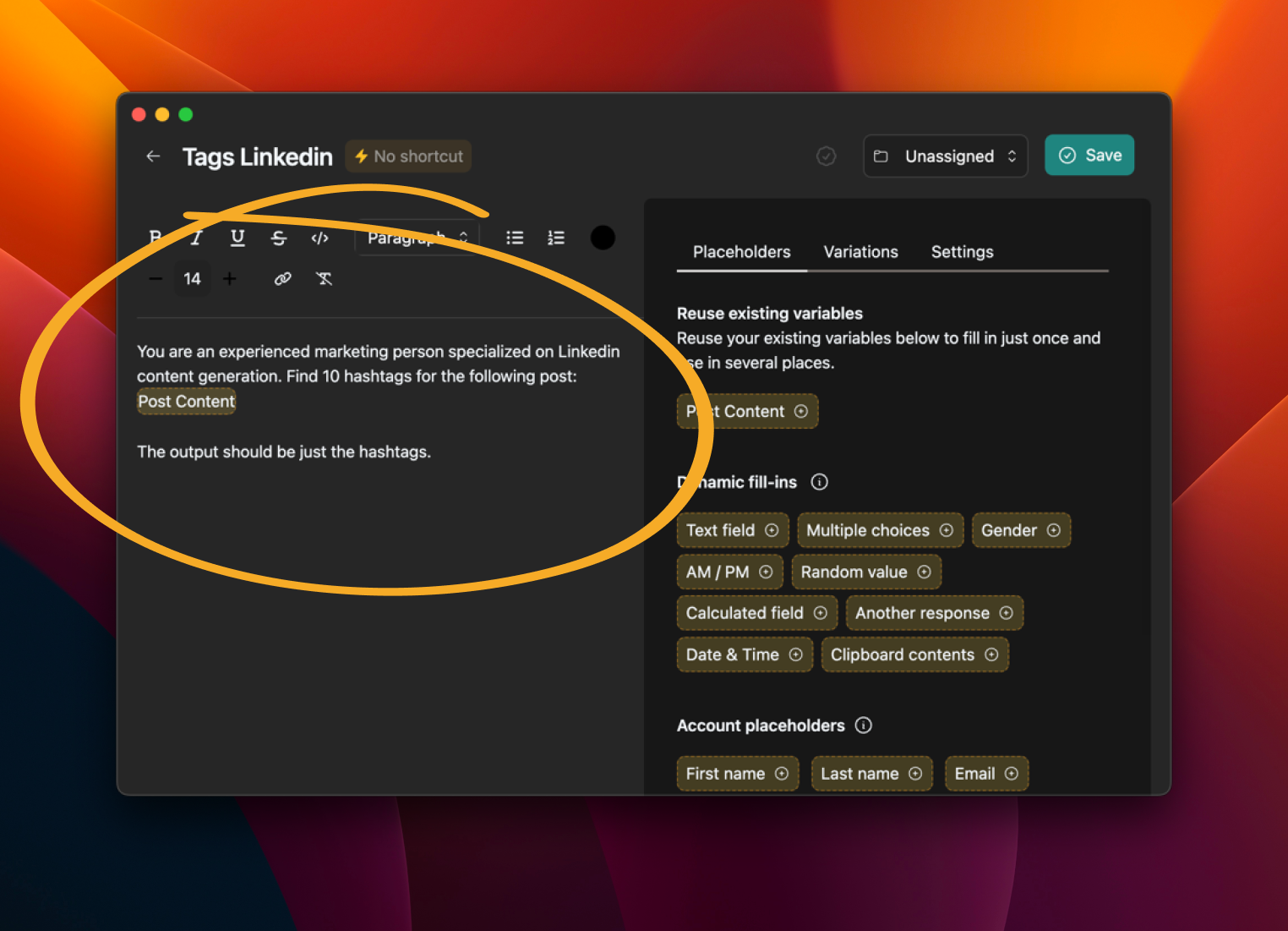
Create an AI prompt template
To make the prompt reusable, add a variable for the text of the post.
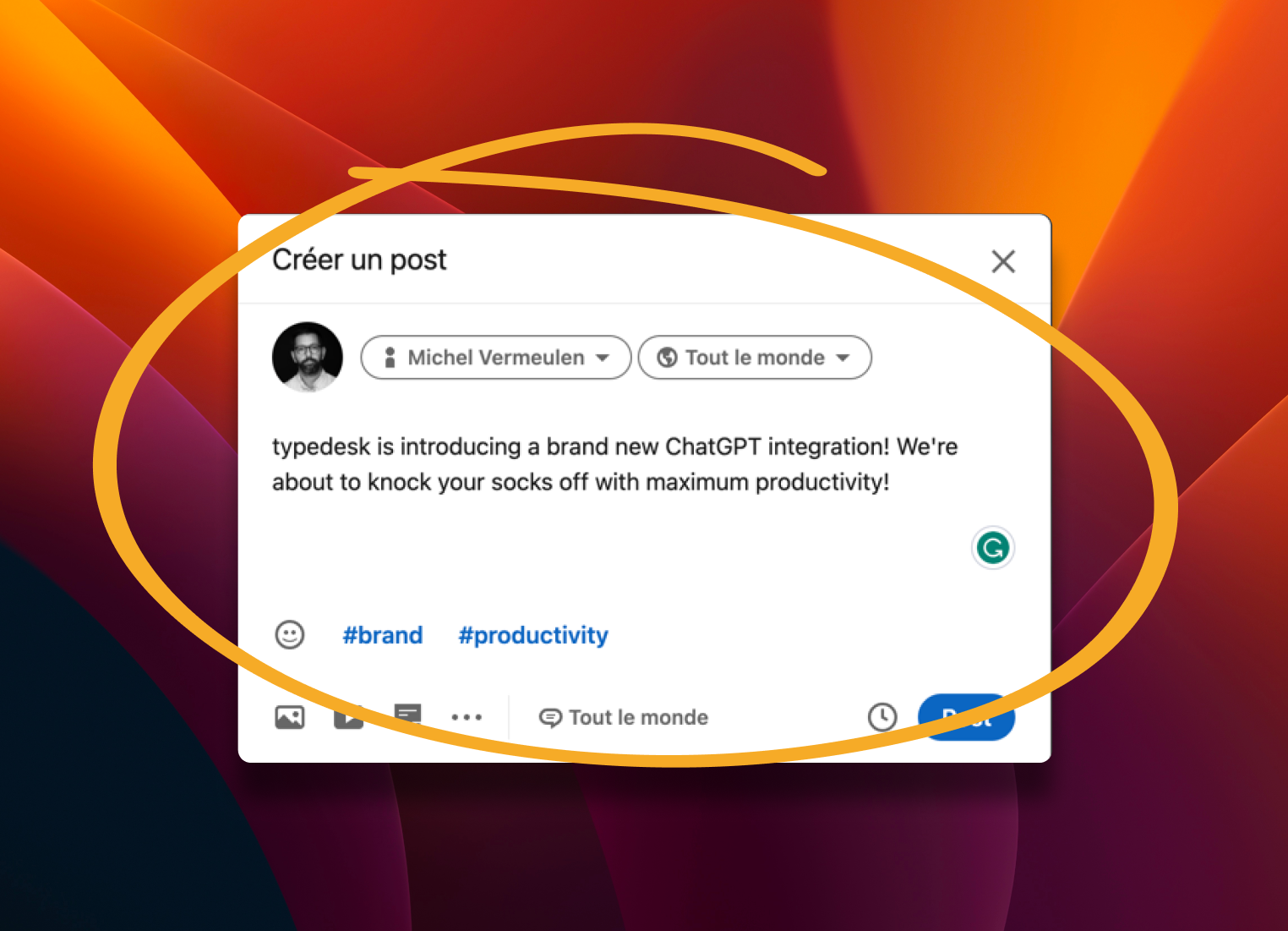
Create your post
Copy the text to the clipboard when you're done.
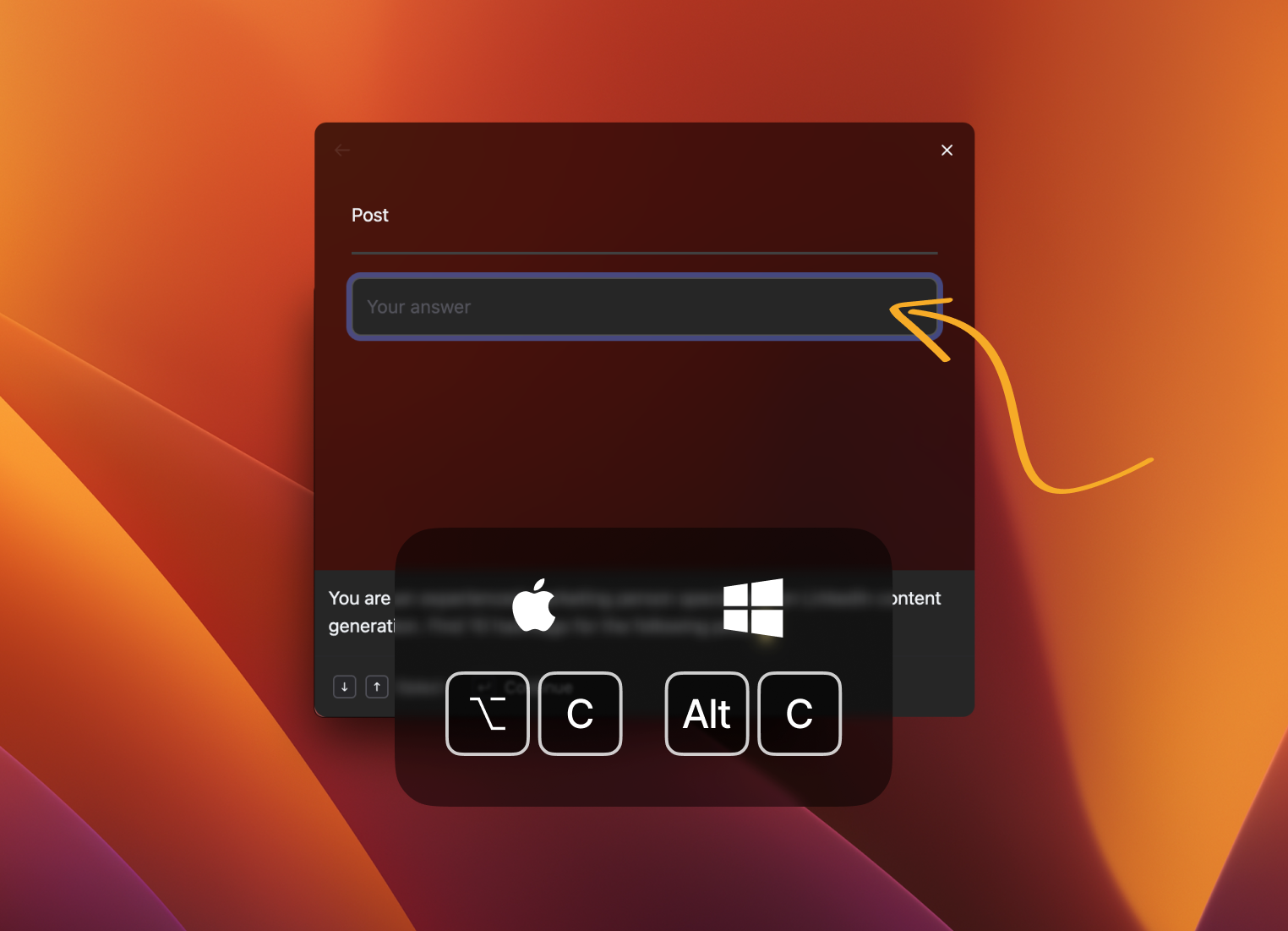
Open Quick Access
Select your post and press Alt+C to fill in your prompt.
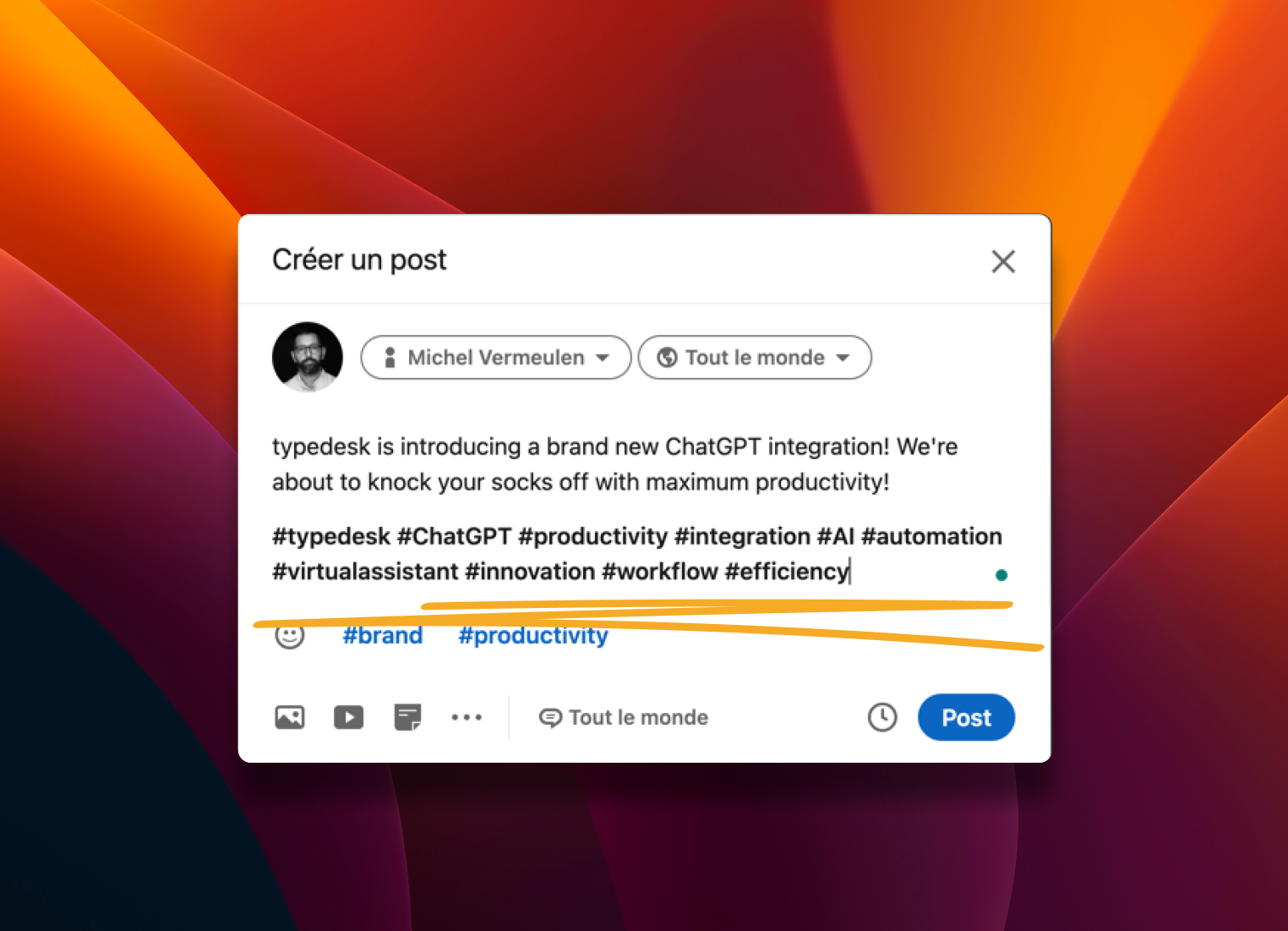
You're done!
Typedesk autofills the tags for your post.
What does a reusable Typedesk prompt look like?
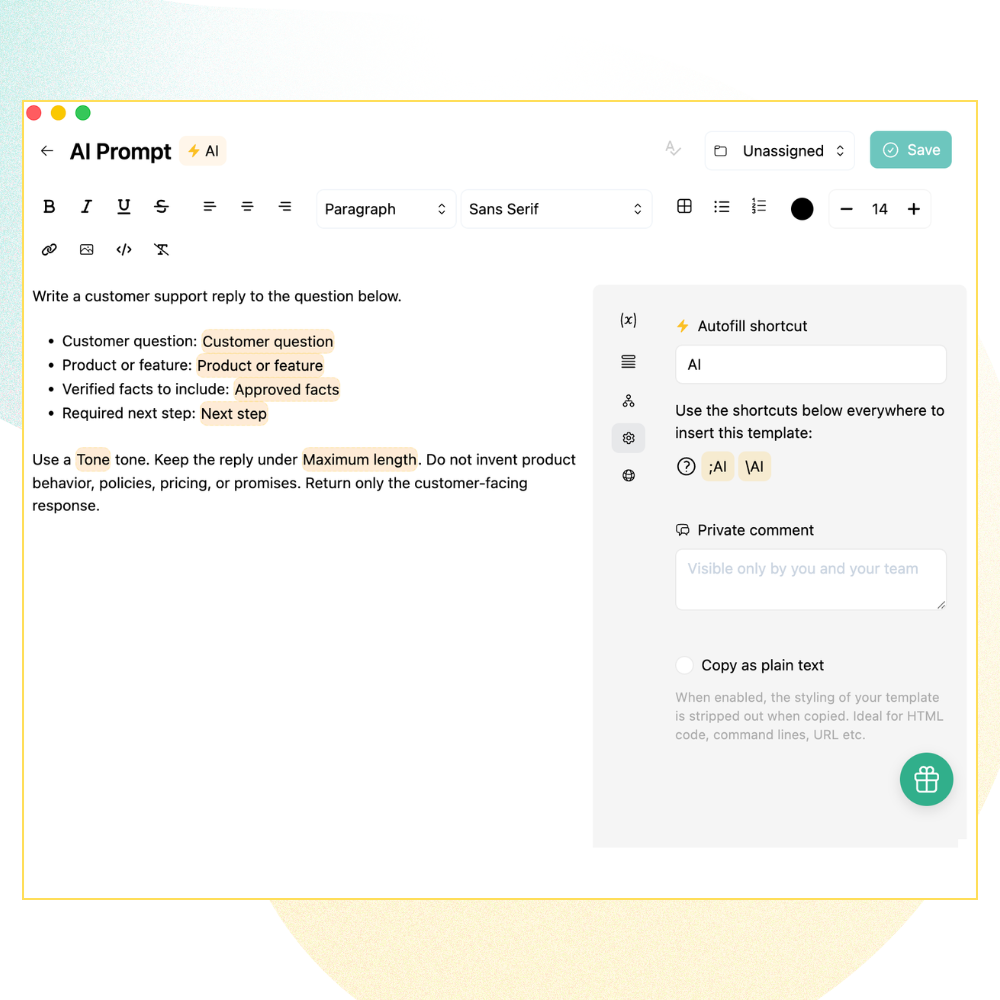
You write the instruction once and mark the details that change as variables. In this support-reply template, the highlighted fields, such as the customer question, product, verified facts, tone, and length, become Typedesk variables.
When someone uses the template, they fill in those fields before the prompt is sent to OpenAI, then review the generated draft before using it.
Share reusable AI prompts with your team
Store approved prompts in shared Typedesk folders so team members can start from the same instructions, tone, and required facts.
Variables keep the prompt flexible. One person can create the structure, while each team member supplies the details for the task in front of them.
- Reuse prompts that have already been tested.
- Update the shared instructions when the workflow changes.
- Help new team members start with a stronger first draft.
Sharing a prompt does not mean sharing an API key. Never place an OpenAI API key inside a shared template.
Use AI in supported Typedesk workflows
Typedesk helps you bring reusable prompts into supported writing workflows through its available clients. Exact behavior can depend on the Typedesk client, operating system, application, website, and type of text field.
Typedesk offers native desktop apps for Windows and macOS, plus browser extensions for Chrome, Firefox, and other Chromium-based browsers. Connect your OpenAI API key in the Typedesk desktop app to use AI actions and reusable AI prompt templates.
A smart draft still needs a human review
AI-generated text can be useful, polished, and impressively quick. It can also misunderstand the request or invent a detail that sounds completely convincing.
Before using a generated result, check:
Avoid sending passwords, payment information, private API keys, health information, or other sensitive data unless your organization has approved that use.
The information included in an AI request must be sent to OpenAI so that OpenAI can generate the result.
Keeping your OpenAI API key safe
Typedesk provides a designated setting for connecting your OpenAI API key. Keep the key private, use it only in the integration field, and manage or revoke it through the OpenAI Platform.
For information about Typedesk account and template security, review the Typedesk Security page.
What Typedesk users say
Reviews from people who use Typedesk to reuse messaging and speed up repetitive writing.
Read all reviews
I love typedesk! It is by far one of my favourite tools to have in our tech stack.

Pip Meecham
Tech Advisor & ClickUp Channel Partner
We use typedesk to ensure that communications remain aligned and uniform across all our channels as our company scales up.

Michael Johnson
Senior Certification Specialist, HighLevel
This software is unreal. It's like having a ChatGPT writing assistant on every single app I use and having all the prompts I can create at my fingertips.

Michael Montefusco
Founder, Fitness Marketing Machine
This app is a phenomenal tool.

David Shutler
Senior Recruitment Consultant
While our help desk does provide saved answers, I use typedesk to maintain a personal voice in my canned responses quickly and efficiently.
Melanie Shears
Finance & People Operations, Customer Billing Specialist, Helpscout
I use typedesk more often that Google. This is pretty much all there is to say: I can not imagine using a computer efficiently without typedesk. Actually, the only thing missing right now is the mobile app. Because I'm sooo used to typedesk that my smartphone feels clunky without it ! This is easily the best purchase I've made regarding my productivity in years.

Jonathan Pak
Online Nutrition Coach
Exceptional. I've been using typedesk for over a year now. As an attorney I have a lot of definitions that must be added to documents, typedesk allows me to add multiparagraph text with just a few keystrokes.

Daryl Crouse
Attorney and advocate
Simple app that saves an abundance of time in canned responses across browser and Mac desktop.
Long Nguyen
Multimedia Designer and Zenfluencer.
Typedesk is an innovative TextExpander alternative that I use daily. Can’t recommend it enough. Can’t wait until it’s available on iOS! Highly recommend.

Steven 👾
Helping people work smarter, not harder.
Fantastic app. I have been a customer for past 2 years. Deployed this on 6 of our companies and my users can't function without this tools. We have adopted it into daily operation. Simply the best. We stopped using the rest of the tools despited we paid for them.

Andy Tran
@andy_tran15
I love love love Typedesk. With this new update, we can use Typedesk directly for simple 1-step prompts. This would be great for generating email responses, title/metadescriptions generator etc. I can already think of some awesome use cases!

Duy Nguyen
App junkie
I was a Textexpander user, but I like Typedesk more. The user experience is better and now that they have implemented a way to use Openai is just way better than their competitors.

David Peter
@david_peter6
absolutely love TypeDesk for what it offers, and not only the product, but the customer service.

Paul Burns
Bookkeeper
Really useful. easy to use everyday

Greg Petithomme
@greg_petithomme
Congrats @michel_vermeulen1 on the new launch. Typedesk has hit the floor running, adding great value and features from the start. It has come a long way with each new update. Michel has always provided great support and eager to build on client suggestions. The UI/UX has improved so much and the canned responses are now super fast. With adding things like ChatGPT, we look forward to future development. Last year I wanted to use typedesk to fill out repetitive online forms and he said that it is not possible at the moment but finished the email with "But, never say never". Well, we are now in neverland.

Hak
@hak_jenkins
Typedesk is a fantastic productivity and time-saving app! Been using it since 2021! Can't wait to try the enhanced AI integration with ChatGPT. To the moon!

KC Wong
CEO, iZen Digital Media Marketing Agency
typedesk is well crafted, practical, and time saving in so many ways! Michel is a passionate CEO who really cares about giving his clients the best! 💪

Haley Dermody
@haleyderm
The classic investment: text once + save time over and over again.

Urs Frei
@urs_frei
I have been a longtime user of TextExpander and keyboard snippets / shortcuts from other apps. I really enjoy using apps that allow me to save time by re-typing common phrases. With the use of multiple apps, I no longer have to edit text in every app to update a phrase or snippet, I can just update Typedesk.
mc_sumo
Anyone that values their time should use a text expander solution.
Sumo-ling
I had been looking for something exactly like this for a while because others I've tried have disappointed me. I was beginning to think I would never find it.
Sumo-ling
Great product and even better support! Shout out to Michel for his help!
Mr.Johnson
Typedesk ist ein prima Tool. Das Beste ist, dass man "Canned Responses" mit "Variablen" festlegen kann. Dies kann gerade im Support eine Menge Zeit sparen.
Marco
I love typedesk! There are so many times when I need to send or reply to a message but I'm in the middle of something else. Typedesk is the perfect tool for those times because it allows me to quickly create, customize and organize set responses. It's also great because I can share and edit my responses with my entire team across multiple platforms.
Sumo-ling
I installed it and everything is very smooth. I like to use a competitor app but I will switch fully once a few things are added. But it's a good investment for me in the future.
Fractal

Used by productive teams across every industry

Frequently asked questions
Straight answers about reusable prompts, OpenAI API keys, billing, security, and using AI with Typedesk.
Visit learning center
 What is an AI prompt generator?
An AI prompt generator helps create or manage instructions that are sent to an AI model. Typedesk focuses on reusable prompt templates. You can save a prompt, add variables for changing details, and use the completed prompt again for recurring writing tasks.
How is Typedesk different from an online AI prompt generator?
Many online prompt generators create a one-time prompt from a short description. Typedesk helps you save prompts that already work, personalize them with variables, organize them in a template library, and share approved prompts with a team.
How does Typedesk work with OpenAI?
Typedesk uses the OpenAI API to generate AI-assisted results. Customers connect their own OpenAI API key under Settings → Integrations → OpenAI, then use Typedesk prompts or AI actions to send a request to OpenAI.
Do I need an OpenAI API key to use Typedesk AI?
Yes. Typedesk's end-user AI features require your own OpenAI API key. Without a connected API key, the AI features will not work.
What is an OpenAI API key?
An OpenAI API key is a private credential that authorizes requests to the OpenAI API. It is created and managed through the OpenAI Platform. It is not your ChatGPT password, and it should never be shared publicly.
How do I create an OpenAI API key?
Sign in to the OpenAI Platform, open the API keys page, and create a new secret key. Copy it and store it securely. You may also need to configure billing or credits through your OpenAI Platform account.
How do I add my OpenAI API key to Typedesk?
Open Typedesk and go to Settings → Integrations → OpenAI. Paste the key into the designated API key field, save the integration, and test it with a short, non-sensitive prompt. Never place the key inside a template or shared folder.
Is an OpenAI API key included with ChatGPT Plus?
ChatGPT subscriptions and OpenAI API usage are separate. A ChatGPT subscription does not automatically provide API credits. API access, usage, and billing are managed through the OpenAI Platform.
Who pays for the OpenAI API usage?
OpenAI manages usage and billing for the OpenAI Platform account connected to the API key. Typedesk pricing and OpenAI API charges are separate.
Is Typedesk's AI Prompt Generator free?
Typedesk account pricing and OpenAI API usage are separate. Check the Typedesk pricing page for current AI-feature availability. OpenAI may also charge for API requests made with your connected key.
Can I share AI prompt templates with my team?
Yes. You can place reusable prompt templates in shared Typedesk folders so team members can use the same instructions and variables. Never put an OpenAI API key inside a shared prompt or template.
Where can I use Typedesk AI features?
Typedesk AI features can be used through supported Typedesk clients and writing workflows. Availability and behavior can depend on the client, operating system, application, website, and text field.
What information is sent to OpenAI?
The prompt, selected text, variable answers, or other information included in the AI request must be sent to OpenAI so that OpenAI can generate the requested result. Avoid including sensitive information unless your organization has approved that use.
Are AI-generated answers always accurate?
No. AI-generated content can contain incorrect, incomplete, or invented information. Review names, dates, links, policies, prices, instructions, and other factual claims before using the result.
How should I protect my OpenAI API key?
Keep the key private. Enter it only in Typedesk's designated OpenAI integration field. Do not place it in templates, screenshots, shared documents, emails, chat messages, or support requests. Manage or revoke the key through the OpenAI Platform.
Turn your best prompts into reusable workflows
Save the prompts that work, personalize them with variables, and make them easier to reuse across your team.
More than just a text expander

Live from our Blog Omnichannel Support Software: How to Choose the Right Tools